Microsoft Search Query Tool for SharePoint, OneDrive and Copilot connectors
The old SharePoint Search Query Tool is still pinned on my taskbar. It has been there for years. Last time I wanted to confirm that items from a Copilot connector were actually reaching the search index, and the old tool just sat there. It talks to the SharePoint search REST endpoint, which is a different index, and it has no idea what an externalItem is. So it could not answer the one question I had.
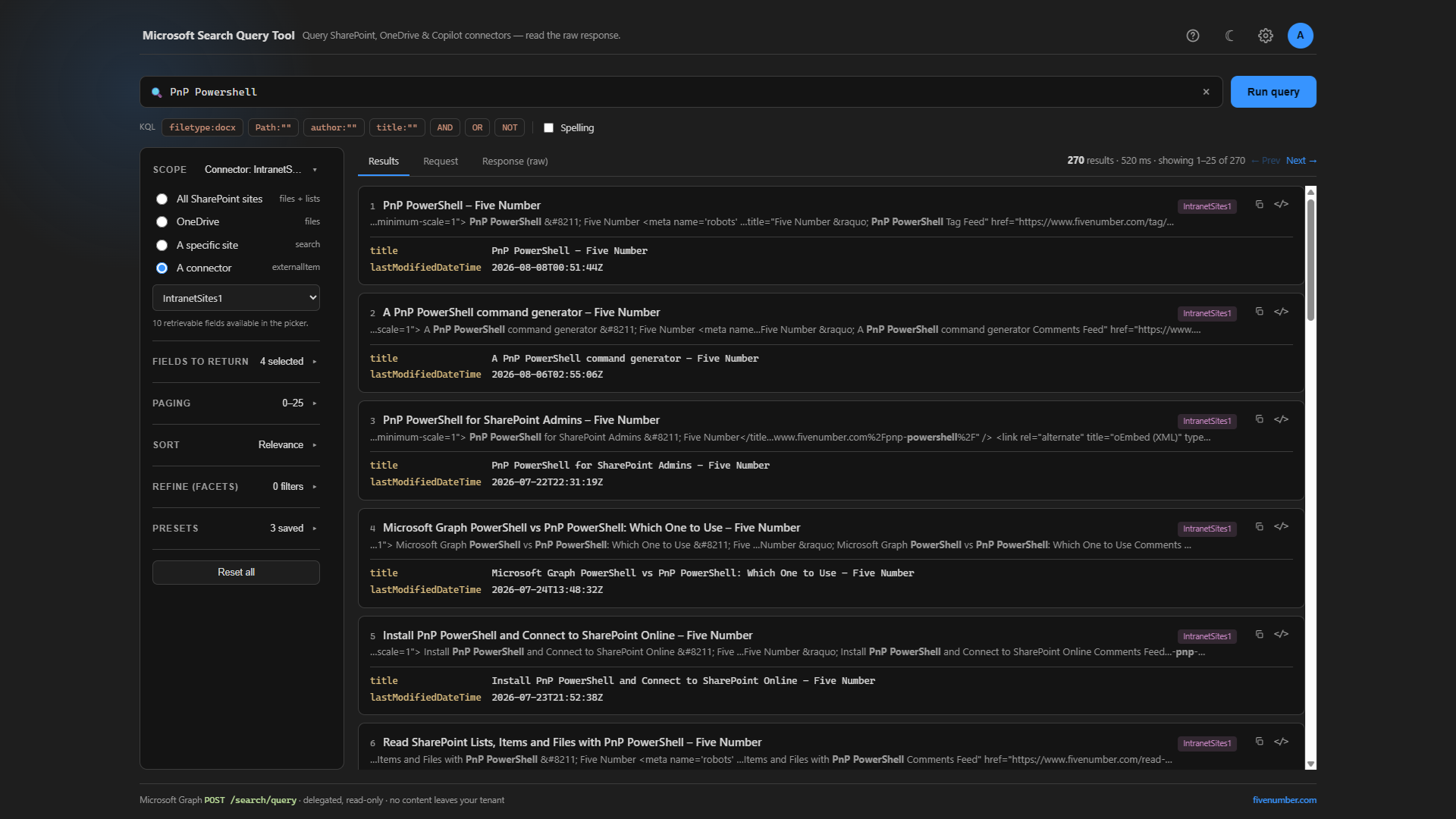
So I built a small one for the Graph world. It runs on your own machine, opens a page in your browser, and calls the Microsoft Graph POST /search/query API. From that one box you can query SharePoint, OneDrive and Copilot connectors, and read the exact request and response that went over the wire. The code is on GitHub: gvijaikumar9/MicrosoftSearchQueryTool.
Running it
You need the .NET 8 SDK and a Microsoft 365 work account that can read the content you want to query. Clone the repo and run it:
git clone https://github.com/gvijaikumar9/MicrosoftSearchQueryTool.git
cd MicrosoftSearchQueryTool
dotnet run
Your browser opens at http://localhost:5089. There is no app registration to create. The tool signs in with the well known Microsoft Graph Command Line Tools public client, the same one Connect-MgGraph uses. On first sign-in an admin consents to three read-only scopes: Sites.Read.All, ExternalItem.Read.All and ExternalConnection.Read.All. Nothing is stored anywhere and no content leaves your tenant, since every query runs with your own delegated token and is permission trimmed to you.
Running a query
- Click the account circle at the top right and sign in.
- Type a query in the box. Plain words, or KQL.
- Pick a scope in the left sidebar: all SharePoint sites, OneDrive, a specific site, or a connector.
- Press Run query.
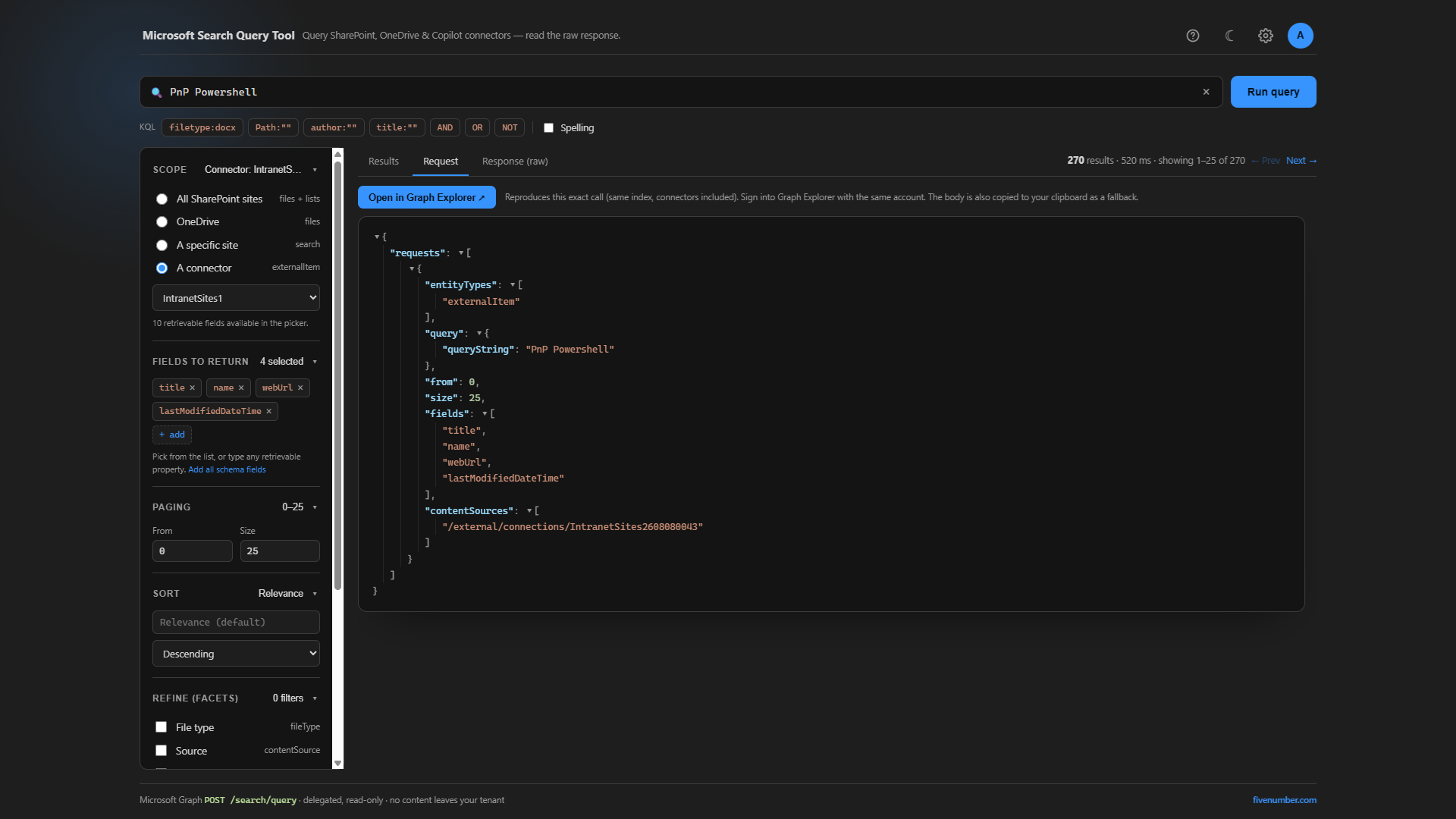
The Results tab shows the hits. The Request and Response (raw) tabs show the exact Graph call and the raw JSON that came back, rendered as a collapsible tree. That raw view is the reason I keep reaching for a query tool instead of the search box. You see precisely what the index returned, fields and all.
The connector part
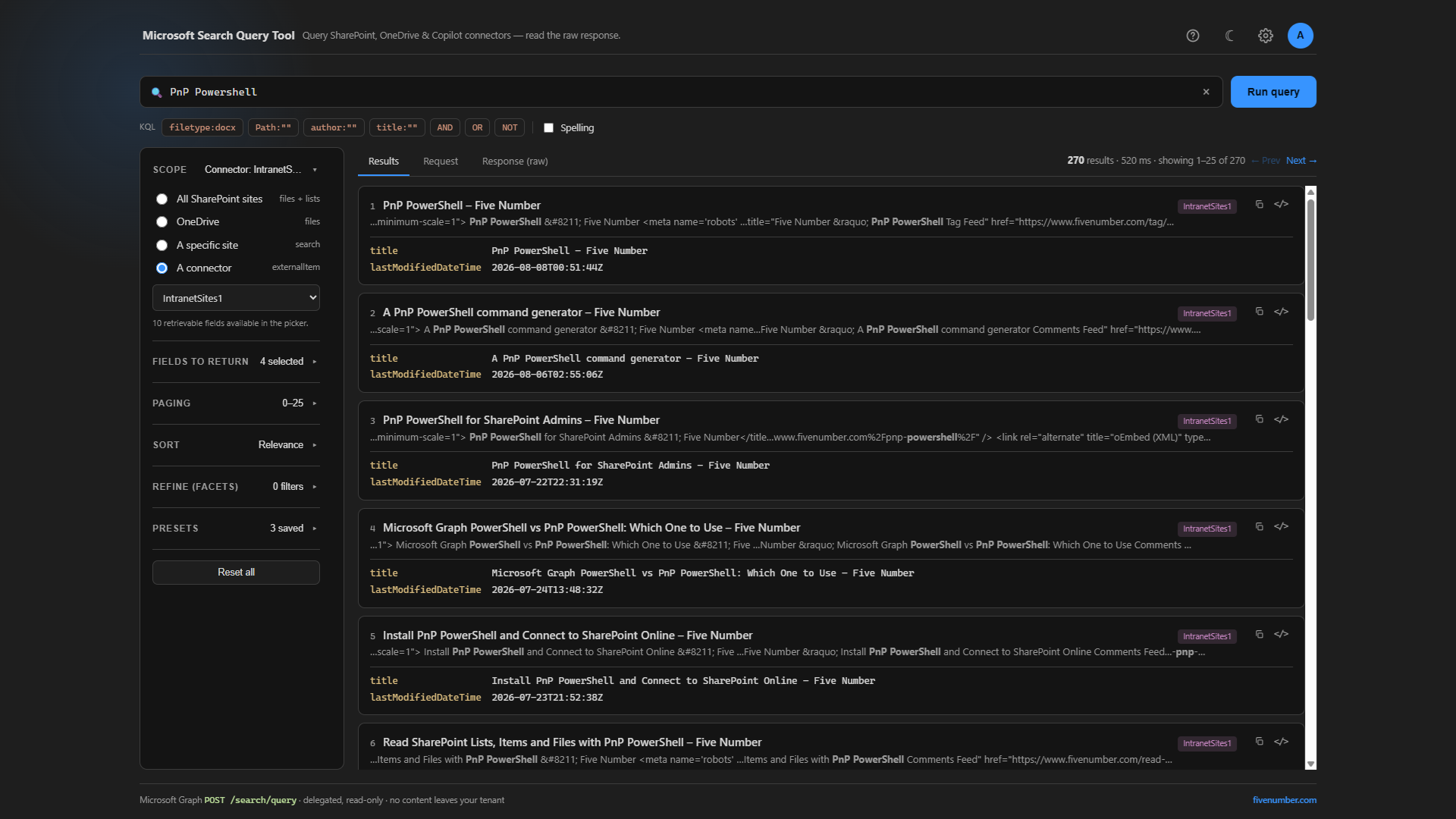
This is the bit the old tool cannot do. When you set the scope to A connector, the tool lists the Copilot connectors in your tenant, so you pick one from a dropdown instead of pasting a connection id. Behind the scenes it sets entityTypes to externalItem and points contentSources at that connection. Each result is badged with the real connector name, so when you are running two or three connectors side by side you can tell at a glance which one a hit came from.
That was my original problem last week, answered in about ten seconds. The items were in the index. The connector was fine. My query was wrong.
KQL that works
The query box takes KQL. The ones I use most:
filetype:docxto restrict by file typePath:"https://contoso.sharepoint.com/sites/HR"to restrict to a siteauthor:"Jane"andtitle:policyfor property restrictionscolumn*for a prefix wildcard (there is no leading wildcard and no*.*match-all)sharepoint AND (list OR column) NOT archivefor boolean logic
One thing that trips people up: Path: and filetype: apply to SharePoint and OneDrive, not to connector items. Connector items are described by their own connector schema, so you filter them on the properties the connector published, not on file type.
Reproducing it in Graph Explorer
From the Request pane there is an Open in Graph Explorer button. It rebuilds the same call in Graph Explorer with the body already filled in. Same index, same API, so the results match what the tool showed. Handy when you want to hand someone a repro they can run themselves without installing anything.
If you like small local tools like this, I also wrote a User Access Explorer for working out who can reach a site. Grab the search tool from GitHub and point it at your tenant. ?