Microsoft Graph PowerShell vs PnP PowerShell: Which One to Use
[AUTHOR: begin with a particular instance when you experienced this problem. You could describe a task where you’ve installed the wrong module, or where you’ve seen both being used together with two prompts asking for authentication for a task involving only a single SharePoint list.]
All comparisons between these two modules will invariably give you the exact list of features that differ, without going further to provide the valuable information you need to know.
When it comes to using SharePoint, the correct answer is definitely not what the comparisons lead you to believe.
The short version
SharePoint-related stuff, such as sites, lists, libraries, permissions, and content: PnP PowerShell
All the rest of the tenant, such as users, groups, licenses, Teams, Intune, conditional access: Microsoft Graph PowerShell.
They are built completely differently
The Graph PowerShell is an autogeneration of the Graph API. Every API exposed by Microsoft turns into a cmdlet by itself, which is the reason for the whole umbrella including more than forty sub-modules. The scope includes all of the tenant, and the cmdlets have fingerprints of the machine generating them, not of the human giving a name.
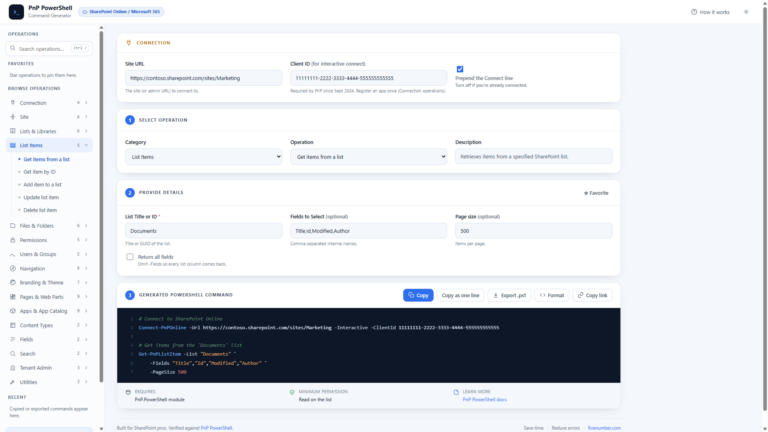
The PnP PowerShell is community-driven, dedicated to SharePoint and its cmdlets’ names sound in English. On my machine, there are 775 cmdlets, each named in the form of Verb-PnPNoun:
Get-PnPList
Get-PnPListItem
Set-PnPListItem
Add-PnPFile
Get-PnPSiteCollectionAdmin
Most of them are obvious to you even without seeing them. When you need to write a script quickly, a script you haven’t written before, guessability does the job that cannot be done by any feature list.
The support difference nobody says out loud
Microsoft Graph PowerShell module is produced by Microsoft. There is an issue, you know where to get support and how to create a ticket.
PnP PowerShell is maintained by the community. The PnP initiative is supported by Microsoft, but the module itself is not supported and there is no ticketing system available. It’s great and ubiquitous, but all of that won’t help you to do anything at 2 am when the production job stops running because your organization’s policy is to use only vendor-supported tools for automation. Somewhere with such a policy, the support line decides everything even before you look into a feature comparison.
The change in September 2024 tells us about the community timeline impacting the production systems. I wrote about the whole story in
Connect-PnPOnline: Specified Method Is Not Supported.
Where each one is genuinely better
The PnP approach triumphs due to its deep understanding of SharePoint, and there is no contest. Graph is capable of reading a list and writing an item. As soon as the task becomes permission audit, bulk field update, site template, or version cleanup, PnP will have a command, while Graph – raw API calls.
Everything in my PnP PowerShell posts would be considerably more work in Graph.
Graph beats on everything which is not SharePoint. Users, groups, licence assignment, Teams, mailboxes, devices, sign-ins, conditional access. There are some PnP bits that made its way into this, including Get-PnPEntraIDApp and sign-in reports, but Graph is where it belongs, as this is where it comes from originally.
Both do authentication properly
Neither module makes you trade away an auth method to get it. Connect-PnPOnline covers the full range:
-Interactive        yes
-DeviceLogin        yes
-ClientId           yes
-ClientSecret       yes
-CertificatePath    yes
-Thumbprint         yes
-ManagedIdentity    yes
-AccessToken        yes
Interactive when you are at the keyboard, certificate or managed identity for the unattended jobs. Connect-MgGraph covers the same ground on the Graph side.
The part that changes the question
PnP can call Graph directly. It ships with two commands for exactly that:
Invoke-PnPGraphMethod
Get-PnPGraphAccessToken
From inside a PnP session that is already connected, you can hit any Graph endpoint that has no PnP command of its own:
Invoke-PnPGraphMethod -Url "v1.0/users?`$top=5" -Method GetThis aspect is often not pointed out, yet it subtly eliminates the versus altogether. A position that is largely SharePoint, with some Graph in it, does not require two modules, two connections, and two authentication contexts kept track of at all times. You use PnP to connect and perform the SharePoint actions with PnP, then fall back on Invoke-PnPGraphMethod when you really need the user lookup.
So, in practice
- For SharePoint mostly: get PnP set up, and make use of Invoke-PnPGraphMethod via Graph.
- For mostly users, groups, Teams, and devices: get Graph. It’s the native product and it’s supported.
- Automation for production with the rule of vendor support: the rule will define it. Graph.
- Both through and through: get both. They work together without problems, and each excels in its own half.
I find the use of the religious argumentation approach to be the most irritating aspect of this debate online. These are different-shaped tools. I start with PnP as I’m living in SharePoint, while Graph is kept in the days when I’m not.