A PnP PowerShell command generator
Try running Get-PnPTenantSite -Url and PnP throws an error back at you. It wants -Identity. But Remove-PnPTenantSite still takes -Url. Same noun, three sibling cmdlets, and the parameter name is not the same across them. I have lost more minutes to that one inconsistency than I would like to admit.
So I built a small thing and put it up at tools.fivenumber.com/pnp-generator. You pick an operation, tweak the values, and it hands you a ready-to-run PnP PowerShell command. No syntax to keep in your head.
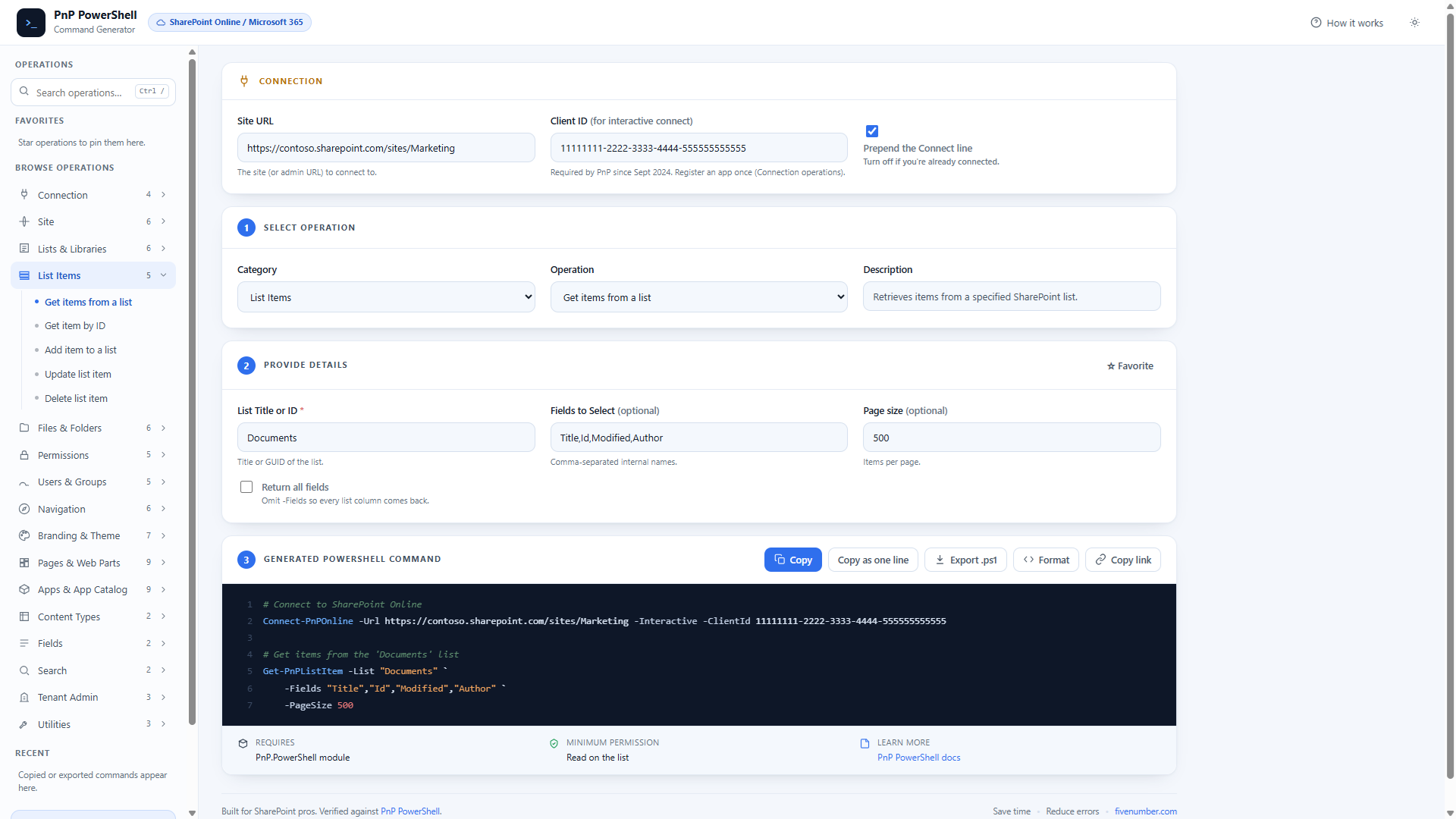
It covers the everyday work and a fair bit beyond it. Sites, lists, list items, files, permissions, users and groups, content types, fields, search, tenant admin. Then navigation nodes, themes and the site header, modern pages and web parts, and the app catalog. About 70 operations in all, grouped into 16 categories down the left.
Set your Site URL and Client ID once at the top and every command below picks them up. The Client ID matters more than people expect. Since September 2024 an interactive Connect-PnPOnline will not run without your own Entra app id, so the tool prepends the connect line with -ClientId already in place. Turn that line off if you are already connected.
Why I actually trust the output
Most command builders on the web generate text and hope. Nobody runs the thing. So you copy a command, paste it into your session, and find out the parameter was renamed two versions ago.
I did the boring part instead. Every cmdlet and parameter the tool writes is checked against PnP.PowerShell 3.3, the version I have installed. Then I ran the read and write commands against a real test tenant. Created and deleted throwaway lists, pages, navigation nodes and a tenant theme, and confirmed each one runs.
That pass caught two real bugs before you ever saw them. The -Url versus -Identity mix I opened with. And Set-PnPFooter -Enabled is a switch, not a boolean, so -Enabled $true fails with a confusing positional-parameter error. The generator now writes -Enabled:$true. A static check on its own would never have found that second one. You have to run it against a tenant.
Sharing an exact command
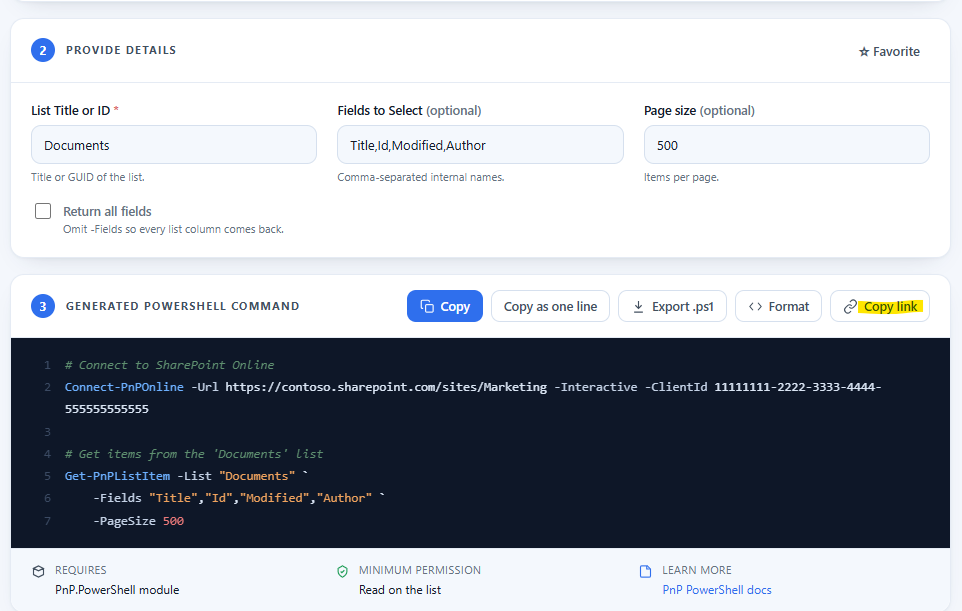
Every choice you make is written into the address bar. Pick Get items from a list, set the list to Documents, and the URL carries all of it. Send that link to a colleague and they open the tool on the same command with the same values filled in. There is a Copy link button for it. I reach for it more than the copy-command button now.
One honest limit. This is for SharePoint Online and Microsoft 365 only. The modern PnP.PowerShell module does not touch SharePoint Server on-premises, and half of these operations (tenant admin, Microsoft 365 groups, the app catalog) have no on-prem equivalent anyway. If you are still on 2016 or 2019, the old SharePointPnPPowerShell2016 and 2019 modules were the route, and those have been retired.
The whole thing runs in your browser. Nothing you type leaves the page. If you want the cmdlet reading list it is built on, my PnP PowerShell hub has the posts in order.
Go break it and tell me which operation is missing ?