What Copilot Chat (Basic) Can and Cannot Do
My intention was to create an agent across a few SharePoint documents on an account with no license for Microsoft 365 Copilot, but I could not do that. Not because a particular button was disabled. The reason is that the option to target the agent on SharePoint is simply not available.
Copilot Chat (Basic) is what you get if you do not purchase a Copilot license. Below is the information on my tenant account that does not have the license, and it’s mainly about where the tier ends.
Where to check what tier you are on
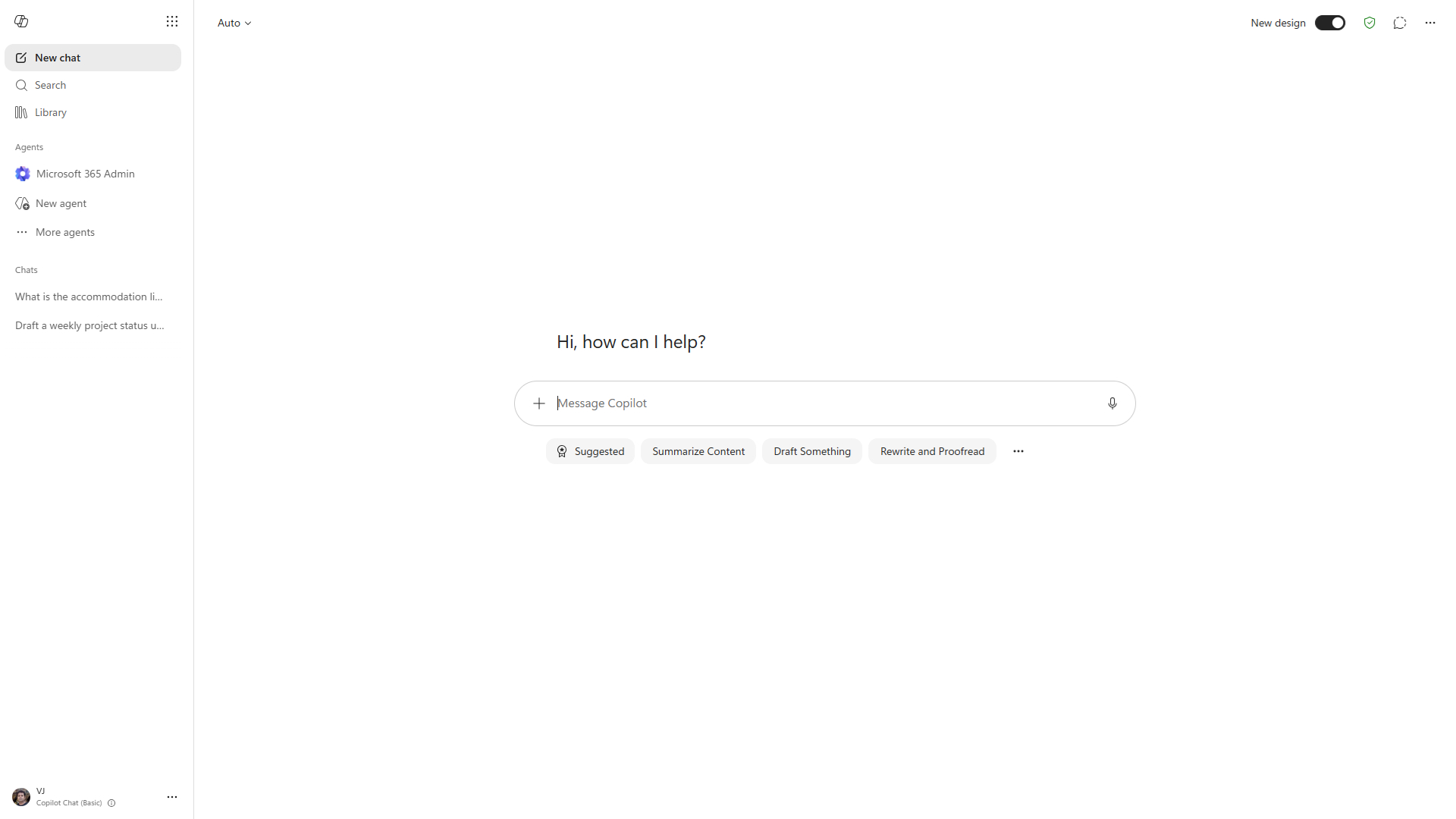
Open Copilot Chat and see what’s written on the bottom left corner beneath your username. Mine says Copilot Chat (Basic).
Good to check before assuming things are broken. There are many cases of “Copilot cannot see my files” where it turns out to be this.
What works
Just chat. Fully fledged conversation Copilot powered by the web.
Generating documents, graphs, and codes. Agent Builder displays Word, Excel, and Powerpoint features automatically activated along with image generation.
Prompt Lab, after the . in the prompt chips after the message box.
Organizational prompts. This one really got me.
Prompts published by an admin in the Microsoft 365 admin center appear in Prompt Lab on a Basic account, labelled Promoted by your organization. But I thought that was something licensed. It’s not.
What this means is that even if you’re deploying Copilot into an estate where some people have a license but some don’t, the published prompts will be available to everyone. Which is quite an important thing to know when deciding who needs a license.
.
Where it stops – work data
Basic is unable to view your Microsoft 365 documents. This includes no access to SharePoint, OneDrive, and email.
Four fictitious policy documents have been added to a SharePoint library, and once indexed, I will ask a question with an answer in one of those documents.
What is the accommodation limit in London?The form states 180 pounds. What I received in return was a request for clarification and an explanation about Airbnb short-term restrictions, employers’ allowances in general, university accommodation and Local Housing Allowance.
Everything was found on the web. Not once did it mention the form. Not once did it say that it could not access my files. It simply answered a totally different question but did so convincingly.
That is what one should be aware of. It does not fail obviously. It provides an assured response that is completely off the topic, and if one had no idea that his file was available he would not have realized anything.
.
Where it stops – agents
Agent Builder can be launched by clicking on New agent on the left navigation menu, where everything you need to configure is presented.
Afterwards, you should examine the Knowledge menu. There are precisely three items in Basic.
- Add specific websites
- Search all websites
- Only use specified sources
This is all of it. Nothing related to SharePoint, nothing related to OneDrive, nothing about Teams, and nothing related to email. The picker is not shown grayed out with an upgrade notice next to it. It just isn’t there..
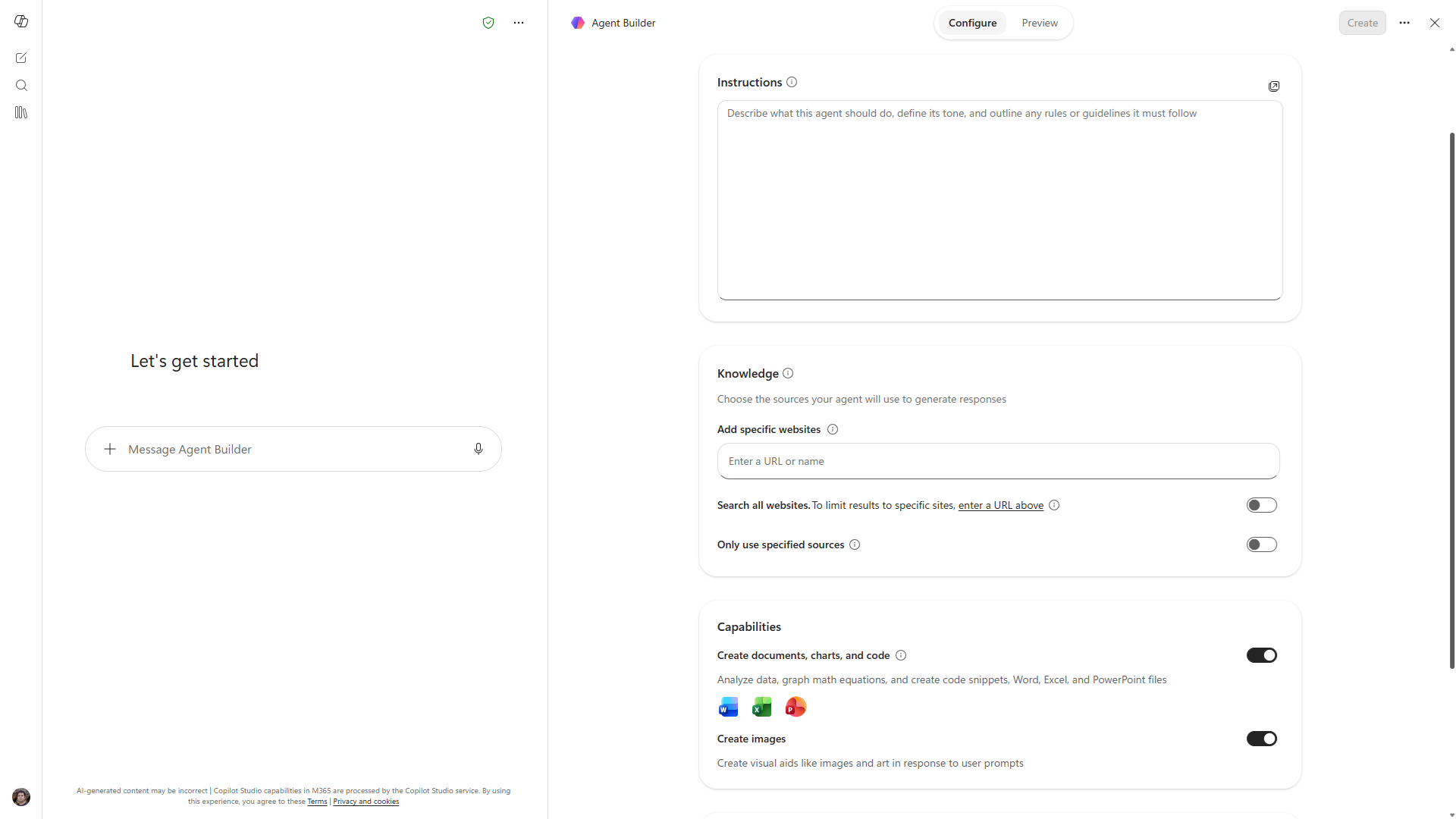
Thus, an agent on Basic is a web-based agent. It will respond to questions posed based on documentation websites. It does not respond based on your own website, which in most internal cases is the entire purpose for wanting an agent.
I have not yet tested the Create button to see if it successfully creates and if grounding works once an agent is created. The only thing I can be sure about is what Knowledge gives us, because that is the initial wall you hit.
What this means if you are deciding on licenses
This differentiation is clearer than their marketing claims. With Basic, you get a competent general assistant. With a license, you get an assistant who is aware of your organization.
Which leads to the one question: who truly needs it based on their own content? The person writing emails and summarizing copied text can be quite satisfied with Basic. But someone asking what was agreed upon with that particular vendor cannot, no matter how much prompt engineering they do. Two practical conclusions.
Make sure your org-wide prompts are available regardless of licenses. These are seen by everyone, which means they are the most cost-effective method of ensuring that Copilot works for everyone in your organization.
Be ready for the confident wrong answer. The way that Basic fails is via a plausible answer that is sourced from the open internet, never via an error message. If you have a mixed environment where some people are using Copilot via a license and others via Basic, then they are having different experiences.
Here’s a quick note about terminology, as these terms change frequently. What my tenant refers to as Copilot Chat (Basic) has had a few iterations, and even Microsoft’s official documentation isn’t consistent with whatever name appears in your interface. Use the name shown in your documentation.