Contributor is not enough why your permission audit is only as good as the account running it
You inherit a permission audit script, point it at the tenant, and it comes back with a tidy report. A few overshared sites, nothing catastrophic. You sign off on the Copilot rollout. And the report may be lying to you in a way that has nothing to do with the script, and everything to do with the account you ran it under. Because in SharePoint, reading permissions is itself a permission. If the account running your audit did not have it, the report is not showing you the site’s permissions. It is showing you the ones your account was allowed to see.
Reading permissions is a permission
SharePoint has a specific right called Enumerate Permissions. Microsoft defines it plainly: it lets you “enumerate permissions on the website, list, folder, document, or list item.” That is precisely what an audit does, so that is the right your audit needs.
Here is the part that catches people. Of the standard permission levels, exactly one includes Enumerate Permissions: Full Control. Not Contribute. Not Edit. Not Read. An account at any of those levels cannot enumerate the permission structure, full stop. Ask it to through the UI, or through PnP PowerShell and you get access denied on every scope it does not fully control.
What that does to a scan
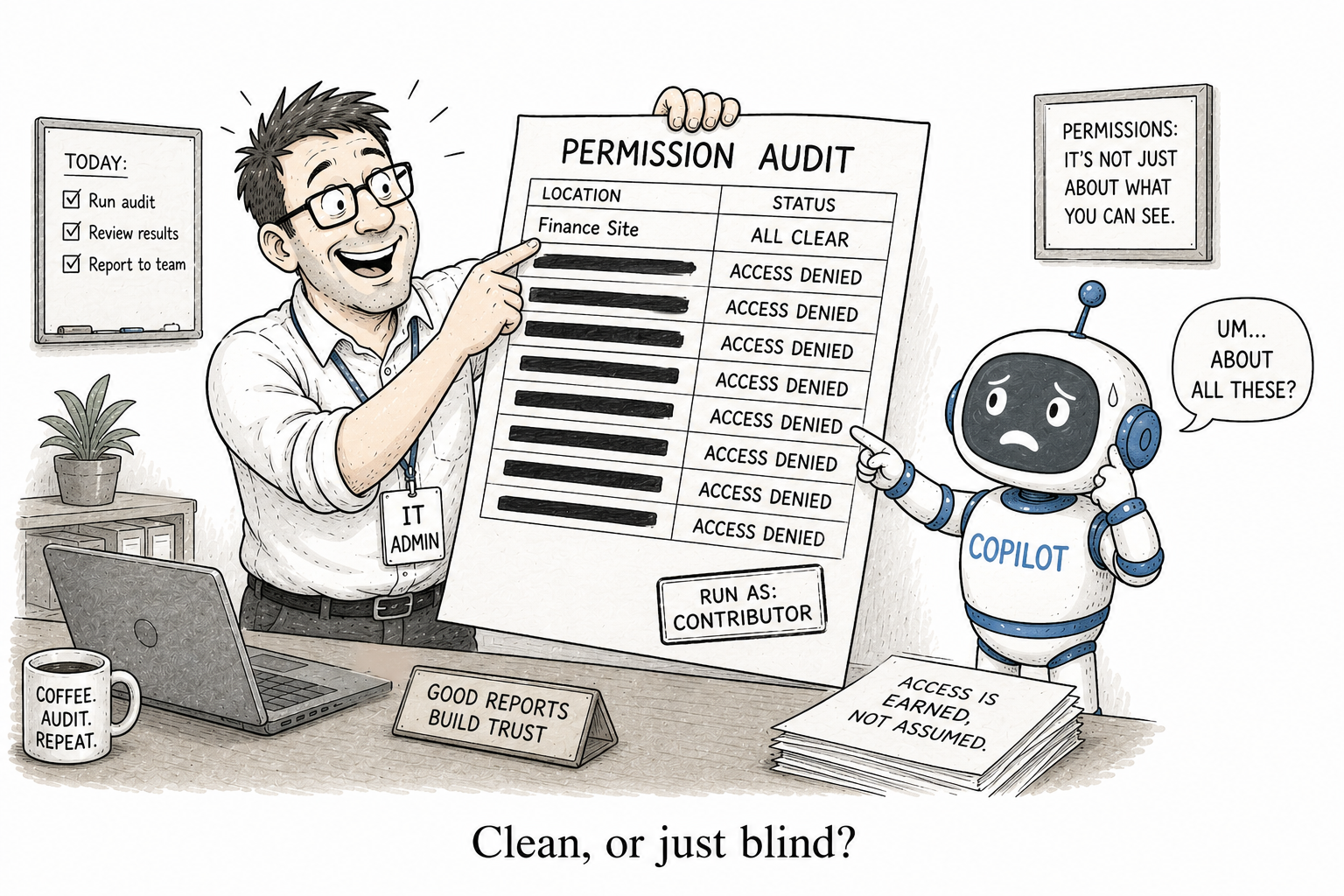
Picture the common setup: an audit run under an account that is a member of the sites, or a SharePoint Admin who never added themselves as Site Collection Administrator, or plainly a Contributor. On every scope that account does not have Full Control over, the call to read role assignments fails. The script then does one of two things, and both are bad.
It errors, you skip the site, and the site quietly drops out of the report. Or it swallows the error and returns nothing for that scope, and the site shows up looking clean. Either way, “no unique permissions found” can mean “there are none” or “I could not see them” and the report does not tell you which.
This is worse than missing a route. A script that reads all five ways access arrives is still blind if it runs under the wrong account. Missing a route is a bug you can fix. Reporting confidently on a site you could not actually read is a report that manufactures false confidence.
The only account that sees everything
The account that reliably sees the whole picture is a Site Collection Administrator, because an SCA has full access to everything in the site collection. And this is the trap for tenant-wide scans: being a SharePoint Administrator in the admin center does not make you Site Collection Administrator on every site. You have to add yourself, per site, or run the audit under an app-only identity granted the rights to enumerate everywhere.
If you did neither, your “tenant-wide” scan silently skipped every site you were not admin on, and reported confidently on the handful you were.
Where it gets sharper
Now remember where the riskiest access actually lives. Sharing links do not add people to a site group; they create per-item scopes held in system groups. In Microsoft’s own words, when you share a link with everyone in your organization, SharePoint grants access through a group called the “Limited Access System Group.” Enumerating those scopes needs the very Enumerate Permissions right your under-privileged account lacks.
So the access most likely to be overshared the sharing links that are not per-user grants is precisely the access a Contributor-level scan is least able to see. The blind spots compound.
How to do it right
Two rules fix most of this.
First, run permission audits as a Site Collection Administrator on every site in scope, or under an app registration with the rights to enumerate everywhere. Never as a member, never as a Contributor.
Second, make the script fail loudly. An access-denied on a scope is not a pass; it is a finding. A permission audit that silently treats “I couldn’t read this” as “this is fine” is worse than no audit, because it hands you confidence you have not earned.
The question to ask
So before your next Copilot rollout, do not just ask what your permission audit reported. Ask what account it ran under. A report is only ever as complete as the rights of the identity that produced it — and in SharePoint, seeing permissions takes the highest right there is. Run your audit as a Contributor, and “clean” does not mean clean. It means blind.
That is the first question worth asking of any tool that reports on access, including the free ones I build: what identity does it run under, and can that identity actually enumerate everything? User Access Explorer is built to run with rights that can see the whole picture because a “nothing found” is only worth trusting when you know something was actually looking.