Report Who Has Access to a SharePoint Site with PowerShell
The script said there was nobody. Everyone says so. Anybody in the company could modify it.
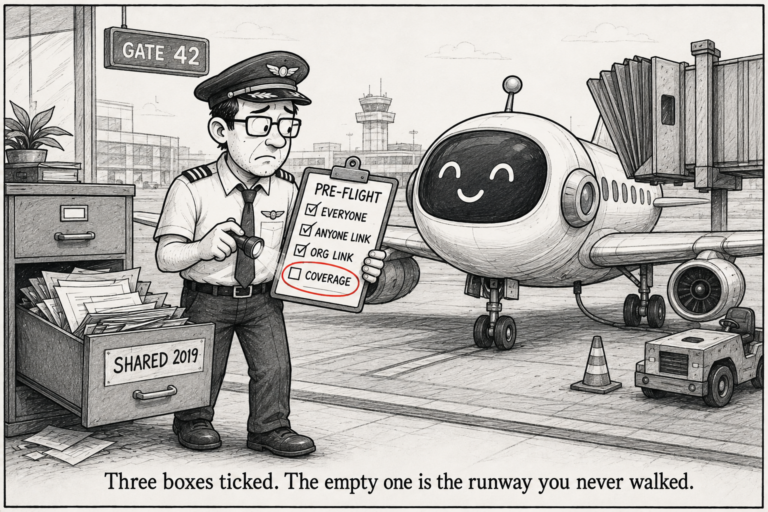
Checking who can access a SharePoint site seems like an easy line of code. It isn’t, since there are five ways of access, and both scripts that come to mind miss one way each.
Executed on actual SharePoint sites using PnP.PowerShell 2.12.0
Access arrives by five routes
- SharePoint groups: Owners, Members, Visitors and any custom ones
- A direct grant to one person on the site itself
- The Microsoft 365 group behind a group-connected site
- Sharing links
- An Everyone or Everyone except external users claim
Most scripts read the first one. That is why sites look tidy and are not.
SharePoint groups
foreach ($group in Get-PnPGroup) {
    $permissions = (Get-PnPGroupPermissions -Identity $group.Title | ForEach-Object { $_.Name }) -join ', '
    "$($group.Title) [$permissions]"
    Get-PnPGroupMember -Group $group.Title | ForEach-Object { "    $($_.Title)" }
}
Demo Members [Edit]
Demo Owners [Full Control]
VJ
Demo Visitors [Read]Get-PnPGroupPermissions is the tidy way to get the permission level. You can walk role assignments by hand, but there is no need for groups.
Direct grants
$web = Get-PnPWeb
$assignments = Get-PnPProperty -ClientObject $web -Property RoleAssignments

foreach ($ra in $assignments) {
    $member = Get-PnPProperty -ClientObject $ra -Property Member
    $roles  = Get-PnPProperty -ClientObject $ra -Property RoleDefinitionBindings
    "{0,-30} {1}" -f $member.Title, (($roles | ForEach-Object { $_.Name }) -join ', ')
}
This is the authoritative list of who holds permission on the site. Everything else either appears here or sits underneath something that does.
The Everyone problem, and two ways to get it wrong
Both obvious approaches fail here, in opposite directions.
Wrong answer one: scanning the user list
Get-PnPUser | Where-Object { $_.Title -match '^Everyone' }Title LoginName
----- ---------
Everyone c:0(.s|true
Everyone except external users c:0-.f|rolemanager|spo-grid-all-users/03889806-...Both of them, on a totally private site. Get-PnPUser gives the User Information List, all of the people that site has ever heard about, and SharePoint includes those people regardless of anything being granted to them.
I did the same for role assignments on the same site
Principals with a role assignment on this web:
    Demo Owners
    Demo Visitors
    Demo Members

Everyone-type principal actually granted access: False
So a report built this way flags every site in the tenant as overshared. People stop reading it, and then it is worth nothing on the day it is right.
Wrong answer two: only checking role assignments
Having found that out, the obvious fix is to only trust role assignments on the web. That is what I did, and it is also wrong.
Here is a different site, a group-connected one:
Route                            Principal                      Type          Permission
-----                            ---------                      ----          ----------
via group: All Company Members   Everyone except external users SecurityGroup Edit
Everyone except external users is a member of the Members group, and this group Edit. All members of the organisation have editing permissions for this site. Since the claim is not made within the web’s role assignments, the fixed script returned Everyone claims: 0
This is the real failure. The first one makes a false alarm. The second one remains silent while everyone in the company has editing permissions.
The check that actually works
An Everyone claim counts if it holds a role assignment or is a member of a group that holds one. And match on the login name, not the title, because the title is whatever your tenant renamed it to:
function Test-EveryoneClaim {
    param([string] $LoginName, [string] $Title)

    return $LoginName -match 'spo-grid-all-users' -or
           $LoginName -match 'c:0\(\.s\|true' -or
           $Title -match '^Everyone'
}
Adding the claim to the Members group is the normal way this happens. Somebody wants everyone in the company to be able to contribute, clicks two things, and it never shows up in an audit again.
Group-connected sites have a second membership list
A Teams or Microsoft 365 group site has SharePoint groups and a Microsoft 365 group, and they are not the same list:
$site = Get-PnPSite
Get-PnPProperty -ClientObject $site -Property GroupId

Get-PnPMicrosoft365GroupOwner  -Identity $site.GroupId
Get-PnPMicrosoft365GroupMember -Identity $site.GroupId
Miss this and your report is missing the actual members of every Teams-connected site. I wrote about the same split causing trouble in the site inventory post, where group sites report no owner at all.
Sharing links
Sharing a file creates a SharePoint group to hold whoever the link is for. I made one on a demo file to see what it looks like:
Add-PnPFileOrganizationalSharingLink -FileUrl "/sites/Demo/Project Documents/Reports/Monthly Report.txt" -ShareType ViewAnd then listed the site’s groups:
Demo Members
Demo Owners
Demo Visitors
SharingLinks.042f4d62-d446-4d80-83d1-fdb40ce5956d.OrganizationView.7cf4060c-7919-4531-8d2e-0bc4b5ddd2d3
I had expected these to be hidden. They are not. It is right there in an ordinary Get-PnPGroup listing. The name is SharingLinks.<file guid>.<type>.<link id>.
Which is worse, in a way. Nothing conceals it, it just looks like machine noise, so anyone scanning a list of group names slides straight past it. Twenty of those in a site and nobody reads a single one.
Get-PnPGroup | Where-Object { $_.Title -like 'SharingLinks*' }The ShareType values available are View, Review, Edit, Embed, BlocksDownload, CreateOnly, AddressBar and AdminDefault.
One warning if you go on to manage these. The three cmdlets do not agree with each other:
Add-PnPFileOrganizationalSharingLink   -FileUrl                 (no -Identity)
Get-PnPFileSharingLink                 -Identity or -FileUrl    (-FileUrl obsolete)
Remove-PnPFileSharingLink              -FileUrl AND -Identity   (-Identity = the LINK)
So -FileUrl is deprecated on one, required on another, and -Identity means the file on two of them and the link on the third. Check with Get-Command <name> -Syntax before writing anything. It cost me four attempts.
The whole script
Everything above in one place, with a CSV option:
[CmdletBinding()]
param(
    [Parameter(Mandatory)] [string] $SiteUrl,
    [Parameter(Mandatory)] [string] $ClientId,
    [string] $OutputCsv
)

$ErrorActionPreference = 'Stop'
Connect-PnPOnline -Url $SiteUrl -ClientId $ClientId -Interactive

$access = [System.Collections.Generic.List[object]]::new()

function Add-Access {
    param($Route, $Principal, $Type, $Permission, $Detail = '')
    $access.Add([pscustomobject]@{
        Route = $Route; Principal = $Principal; Type = $Type
        Permission = $Permission; Detail = $Detail
    })
}

function Test-EveryoneClaim {
    param([string] $LoginName, [string] $Title)
    return $LoginName -match 'spo-grid-all-users' -or
           $LoginName -match 'c:0\(\.s\|true' -or
           $Title -match '^Everyone'
}

Write-Host "Reading site..." -ForegroundColor Cyan
$web = Get-PnPWeb
$assignments = Get-PnPProperty -ClientObject $web -Property RoleAssignments

foreach ($ra in $assignments) {
    $member = Get-PnPProperty -ClientObject $ra -Property Member
    $roles  = Get-PnPProperty -ClientObject $ra -Property RoleDefinitionBindings
    $levels = ($roles | ForEach-Object { $_.Name }) -join ', '

    $route = if (Test-EveryoneClaim $member.LoginName $member.Title) { 'EVERYONE CLAIM' }
             elseif ($member.PrincipalType -eq 'SharePointGroup') { 'SharePoint group' }
             else { 'Direct grant' }

    Add-Access $route $member.Title $member.PrincipalType $levels $member.LoginName
}

Write-Host "Expanding groups..." -ForegroundColor Cyan

foreach ($group in Get-PnPGroup) {
    $isSharingLink = $group.Title -like 'SharingLinks*'

    $permissions = try {
        (Get-PnPGroupPermissions -Identity $group.Title | ForEach-Object { $_.Name }) -join ', '
    } catch { '(none on this web)' }

    $members = @(Get-PnPGroupMember -Group $group.Title -ErrorAction SilentlyContinue)

    if ($isSharingLink) {
        $parts = $group.Title -split '\.'
        $linkType = if ($parts.Count -ge 3) { $parts[2] } else { 'unknown' }
        if ($members.Count -eq 0) {
            Add-Access 'SHARING LINK' '(link with no named recipients)' 'SharingLink' $permissions $linkType
        }
        foreach ($m in $members) {
            Add-Access 'SHARING LINK' $m.Title $m.PrincipalType $permissions "$linkType | $($m.LoginName)"
        }
        continue
    }

    foreach ($m in $members) {
        # The claim usually gets in as a group MEMBER, not a direct grant.
        $route = if (Test-EveryoneClaim $m.LoginName $m.Title) { 'EVERYONE CLAIM' }
                 else { "via group: $($group.Title)" }
        $detail = if ($route -eq 'EVERYONE CLAIM') {
            "inside group '$($group.Title)' | $($m.LoginName)"
        } else { $m.LoginName }

        Add-Access $route $m.Title $m.PrincipalType $permissions $detail
    }
}

$site = Get-PnPSite
$null = Get-PnPProperty -ClientObject $site -Property GroupId

if ($site.GroupId -and $site.GroupId -ne [guid]::Empty) {
    Write-Host "Group-connected site - reading Microsoft 365 group..." -ForegroundColor Cyan
    try {
        foreach ($o in Get-PnPMicrosoft365GroupOwner -Identity $site.GroupId -ErrorAction Stop) {
            Add-Access 'M365 group owner' $o.DisplayName 'User' 'Owner' $o.UserPrincipalName
        }
        foreach ($m in Get-PnPMicrosoft365GroupMember -Identity $site.GroupId -ErrorAction Stop) {
            Add-Access 'M365 group member' $m.DisplayName 'User' 'Member' $m.UserPrincipalName
        }
    }
    catch { Write-Warning "Could not read the Microsoft 365 group: $($_.Exception.Message)" }
}

foreach ($u in Get-PnPUser) {
    if ($u.LoginName -match '#ext#' -or $u.IsShareByEmailGuestUser) {
        Add-Access 'EXTERNAL USER' $u.Title 'Guest' '(see routes above)' $u.LoginName
    }
}

$everyone  = @($access | Where-Object Route -eq 'EVERYONE CLAIM')
$links     = @($access | Where-Object Route -eq 'SHARING LINK')
$externals = @($access | Where-Object Route -eq 'EXTERNAL USER')

Write-Host ""
Write-Host "Site           : $($web.Title)"
Write-Host "Access entries : $($access.Count)"
Write-Host "Sharing links  : $($links.Count)"
Write-Host "External users : $($externals.Count)"
Write-Host "Everyone claims: $($everyone.Count)"

if ($everyone.Count) {
    Write-Warning "This site grants access to an Everyone claim. Anyone in the organisation can reach it."
    foreach ($e in $everyone) {
        Write-Host "  $($e.Principal) - $($e.Permission) - $($e.Detail)" -ForegroundColor Red
    }
}

if ($OutputCsv) {
    $access | Export-Csv -Path $OutputCsv -NoTypeInformation -Encoding UTF8
    Write-Host "`nWritten to $OutputCsv" -ForegroundColor Green
} else {
    $access | Sort-Object Route, Principal | Format-Table Route, Principal, Type, Permission -AutoSize
}

Disconnect-PnPOnline
On a private site:
Site           : PowerShell Demo
Access entries : 4
Sharing links  : 0
External users : 0
Everyone claims: 0
And on the one that is not:
Site           : All Company
Access entries : 9
Everyone claims: 1

WARNING: This site grants access to an Everyone claim. Anyone in the organisation can reach it.
  Everyone except external users - Edit - inside group 'All Company Members'
That last line is the one you want. It tells you which group the claim is sitting in, which is where you go to remove it.

4 Comments
Comments are closed.