A governance-first MCP server for Microsoft 365 and SharePoint
Recently, I was working on connecting an MCP server to a SharePoint tenant and one thing struck me instantly. The assistant had access to all sites within the tenant, some of which I shouldn’t be accessing at all. The vast majority of “M365 MCP” servers have this property as well. The assistant signs in using an app-only identity that has tenant-wide Graph permissions and anything connected to that server gets it all.
This goes against the nature of enterprise content. I have access to my own SharePoint account based on my permissions and so should an AI accessing the same content. That’s why I created such a server myself and published it on npm.
@gvijaikumar9/m365-governed-mcp is a governance-first Model Context Protocol server for Microsoft 365 and SharePoint. It uses the MIT license and runs on your local machine via stdio, which means that none of your credentials or any data goes outside the device. If you still have some confusion regarding the concept of MCP and how it differs from an API, I wrote about that in MCP vs REST API.
Delegation of authentication is the key principle. The server invokes Microsoft Graph on behalf of the logged-on user, rather than invoking it as an application. The results returned are automatically security-trimmed via Graph. There is no other permission model to reconcile, nor a means for the assistant to access your sites beyond you.
What “governed” means here
- Delegated authentication: all calls run as you, so results will be security trimmed by design.
- Principle of least privilege: by default, read-only delegated scopes. Any write is clear and auditable.
- Audit trail: all calls are logged by who, what and when.
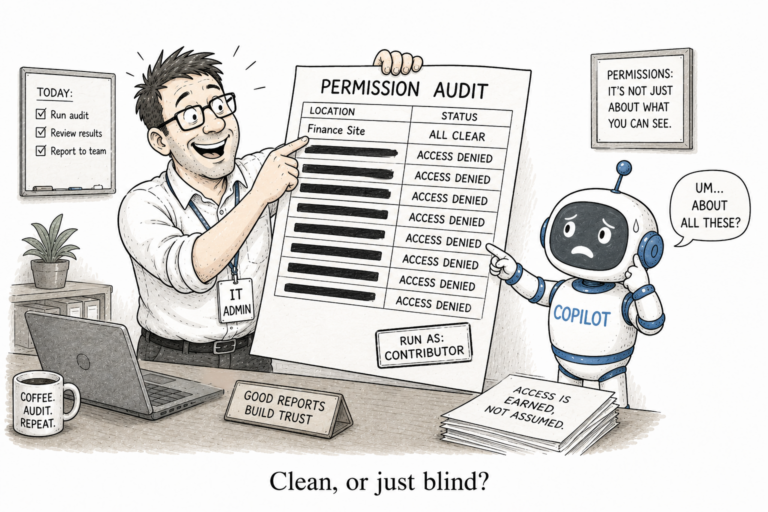
- Oversharing prevention: the idea is to mark those that are overly shared or labeled in the result set rather than silently returning them. You know from experience how this is important if you ever trusted an access report that was lying. I did the deconstruction of that in a sharing link is not a per-user grant.
- Local installation: no hosted service, no infrastructure in your tenant, no infrastructure bill.

Setting it up
Node version 18 or later and an MCP client supporting local stdio servers are required. You can use Claude Code for this purpose. Currently, the Claude Desktop Fable version is accepting only the remote URL connectors; hence, use Claude Code for the time being.
In your tenant, you will register one public-client application. It will take about three minutes manually.
- Entra admin center > App registrations > New registration. Single tenant. Register.
- Copy the Application (client) ID and Directory (tenant) ID from the Overview page.
- API permissions > add Microsoft Graph delegated Sites.Read.All and Files.Read.All. Grant admin consent if your tenant needs it.
- Authentication > Allow public client flows > Yes.
- Authentication > add a platform Mobile and desktop applications > redirect URI http://localhost. Save.
Neither secrets nor certificates. It is a public client with delegated permissions.
And in case you do not like doing all this, there is also a PowerShell script inside the repo that will create the app and give you both ID’s.
Afterwards, simply add the server to Claude Code with your two ID’s.
claude mcp add m365-governed -e TENANT_ID=<your-tenant-id> -e CLIENT_ID=<your-app-client-id> -- npx -y @gvijaikumar9/m365-governed-mcpOr drop it into a project .mcp.json.
{
  "mcpServers": {
    "m365-governed": {
      "command": "npx",
      "args": ["-y", "@gvijaikumar9/m365-governed-mcp"],
      "env": { "TENANT_ID": "<your-tenant-id>", "CLIENT_ID": "<your-app-client-id>" }
    }
  }
}
Your browser will open the first time the assistant uses the tool. From then on, you’re set for the rest of the session. When a browser cannot be opened, it uses a device code URL.
The tools
Five tools in v0.5.0, kept purposely small. I did not want a graph_request passthrough that would pass the entire API through to the AI, which is the over-permissioning that this server was designed to avoid.
- search: search your files and list items as you. Args: query, size.
- get_list_items: read a named SharePoint list as you. Args: site, list, top.
- get_file: read a document’s content as you. Text for text files, metadata only for Office and binary. Args: url, max_chars.
- about: purpose, version and how the server runs.
- governance_model: the delegated, least-privilege, audited design in full.
The package is on npm and the source is on GitHub. Point it at your own tenant and ask the assistant to find something you know you can reach, then ask it for something you know you cannot. The second one comes back empty, which is the whole point. 🙂