Catch a broken Adaptive Card before Teams does
A card with an incorrect version does not trigger any errors. The host ignores everything it cannot understand, renders the rest and you get either a blank or incomplete card in Teams without knowing why. A duplicate id acts in the same manner, while an incorrectly spelled element type will make the card render nothing.
All those issues will go unnoticed by the card designer until somebody notifies you of how the card looks in Teams or even worse, your submit action returns a missing field.
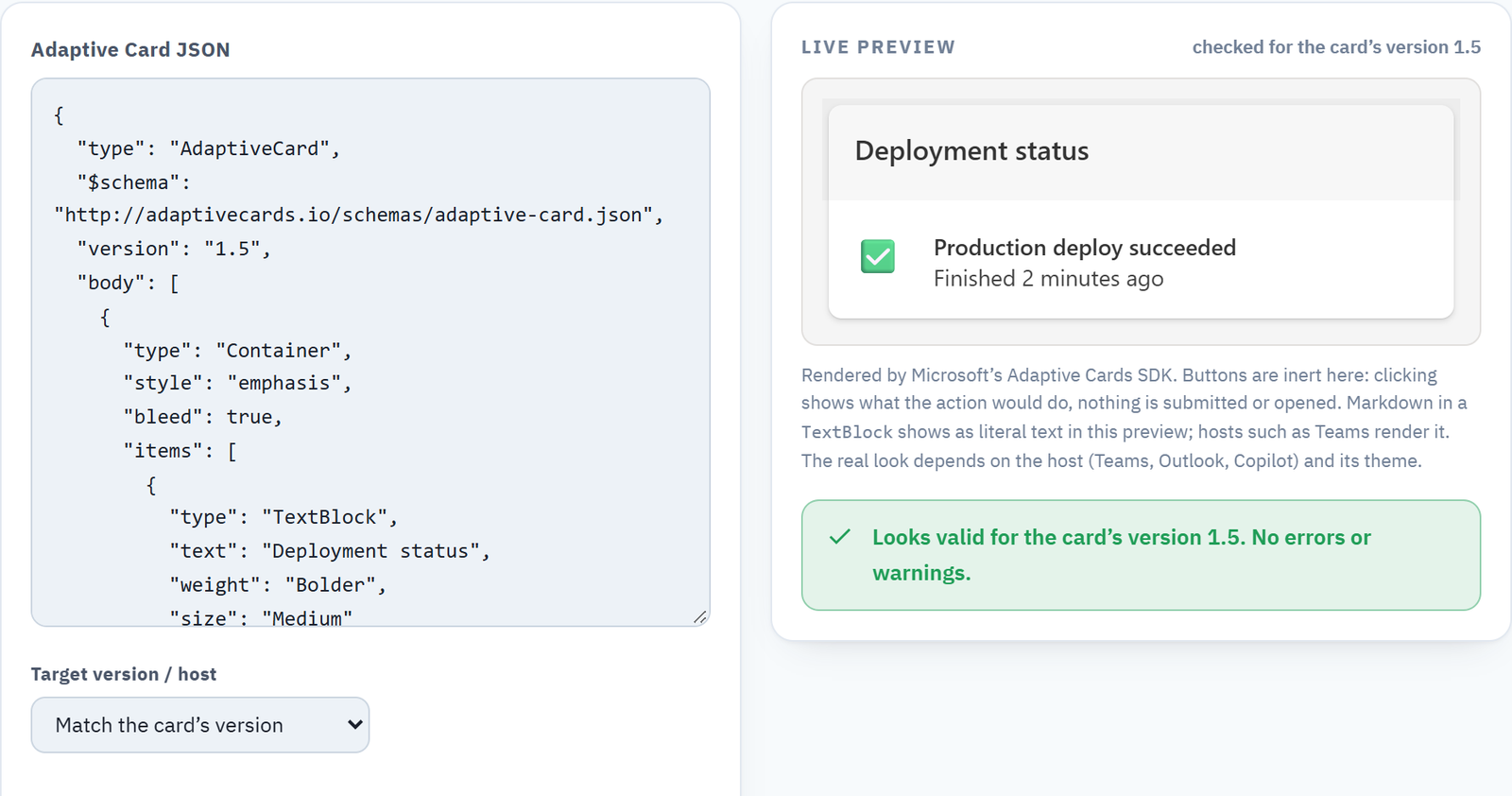
That is why I created a simple test page rendering your card through Microsoft’s official renderer and running those tests your card designer overlooks. It runs in your browser, no data is being sent anywhere: Adaptive Card Validator.
You can paste the JSON on the left-hand side and it will render live on the right-hand side. The preview uses the same SDK that Teams and Copilot use, so it looks exactly like the host.
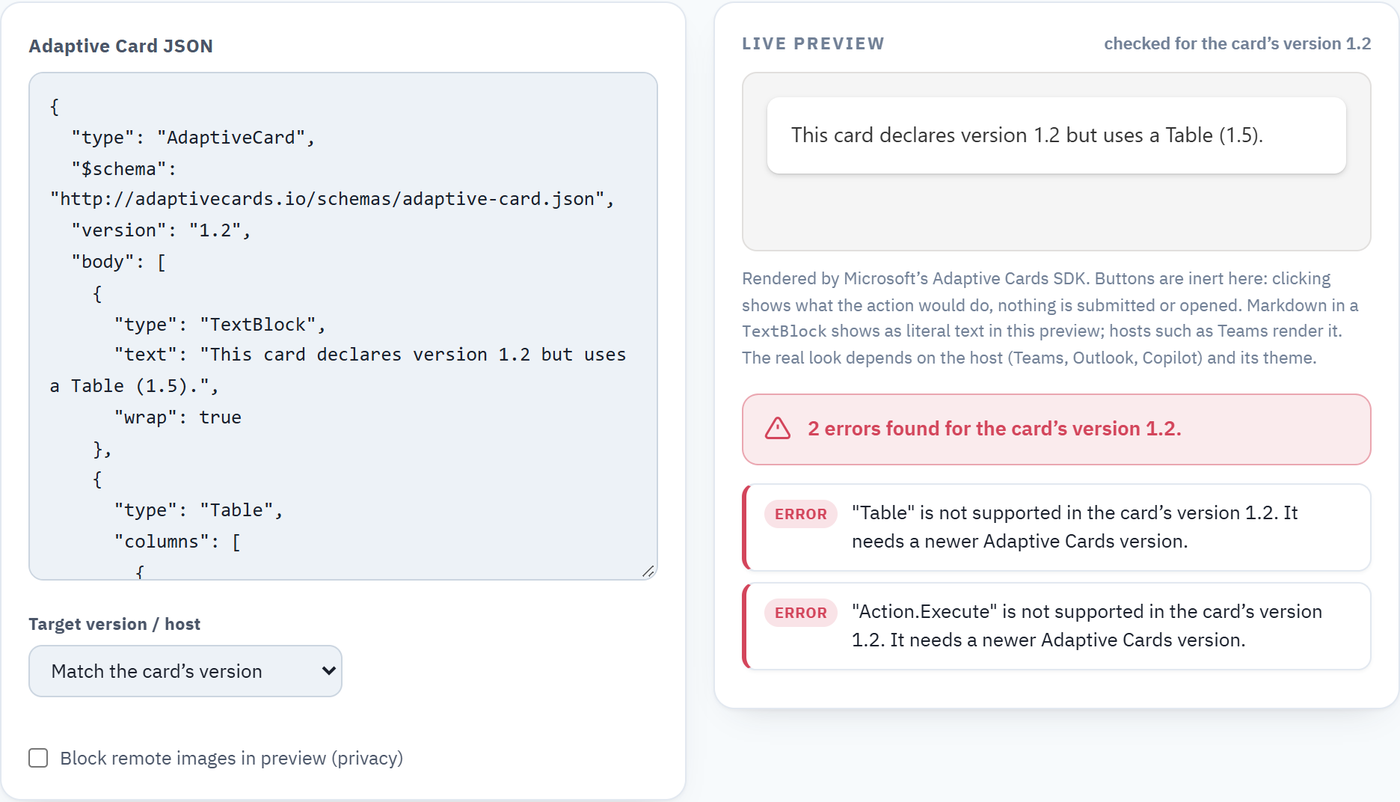
You need to choose a Target version / host to test against. It defaults to Match the card’s version, which will test against the declared version of the card. If you want, you can change it to Microsoft Teams (1.5) or Copilot Studio (1.6). It is here that any versioning issue gets detected before it is deployed. In the following screenshot, there is a card that declares 1.2 but contains Table and Action.Execute, which both need a newer version: Table needs 1.5 and Action.Execute needs 1.4.
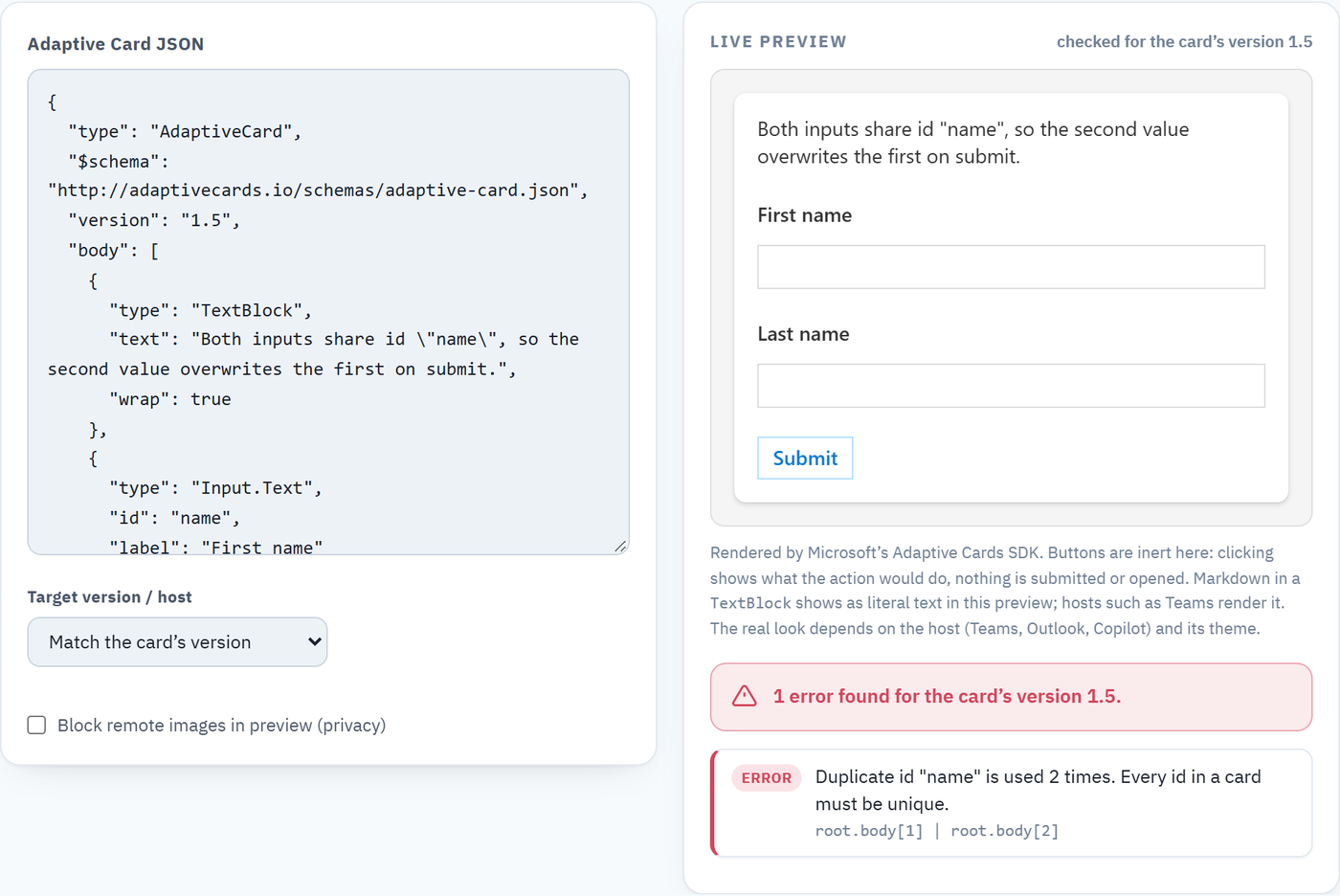
Duplicate id is the tricky one, because the card looks good. Two fields that have identical id will look good but after submitting, the second value will replace the first and your field will be lost. The validator will flag the problem with the path to both.
It will also catch things that you might miss due to being pressed for time: an empty TextBlock, an Image with no url, an input with no id, and a Fact with no value. They all are errors in relation to their respective elements.
Two more points. Preview buttons are not active, so a Submit or Open URL action will demonstrate what would happen without actually sending anything. There is also a Block remote images option to turn on when you are pasting a card from someone else and do not want to load their image URLs.
Paste a card and check it: tools.fivenumber.com/adaptive-card-validator.
2 Comments