An image gallery web part with a lightbox for SharePoint
You want a photo grid on the intranet. Life at the company, an event, the new office. A grid of images that opens bigger when you click one. Here is a web part for it.

It reads a SharePoint document library. You point it at a library, upload your images, and it shows them. Only image files are shown, so other documents in the library are ignored. The Provision-IntranetLists.ps1 script creates the IntranetGallery library for you.
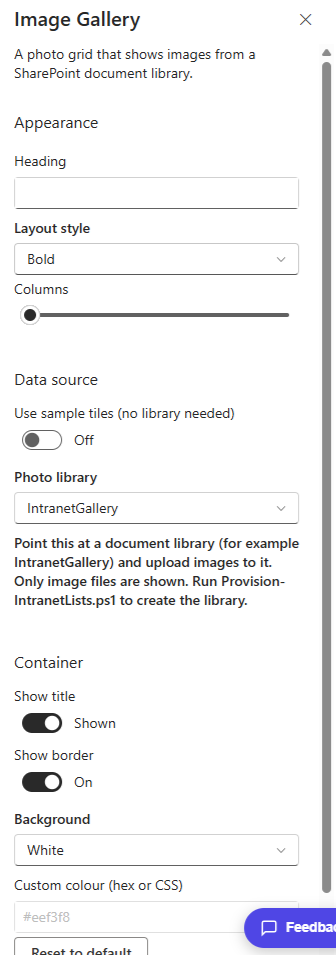
In the property pane you point it at the photo library, choose a layout, and set how many columns the grid has. Click any photo and it opens in a lightbox over the page.
The Image Gallery is part of my open source SPFx Intranet Suite, a set of web parts for a modern SharePoint intranet. Install the package once and it shows up in the toolbox under Intranet Suite.




3 Comments
Comments are closed.