A tabbed content web part for SharePoint
Sometimes you have one list but you want to show it as tabs. Company news, events, links, all from the same list, split into tabs by a column. Here is a web part for that.

It reads any SharePoint list. You pick a Tab column to group by, and each distinct value in that column becomes a tab. Optionally you set a Subtitle column and a Link column so each row shows a bit more and is clickable. Use the internal column names.
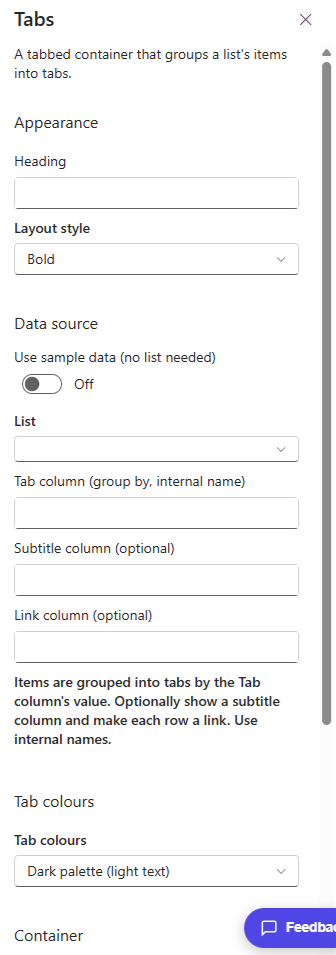
The nice thing is it works on a list you already have. Point it at one, choose the column to split on, and it builds the tabs for you. You can also colour the tabs from a palette.
The Tabs web part is part of my open source SPFx Intranet Suite, a set of web parts for a modern SharePoint intranet. Install the package once and it shows up in the toolbox under Intranet Suite.
2 Comments
Comments are closed.