Yet another Sharepoint sample site template
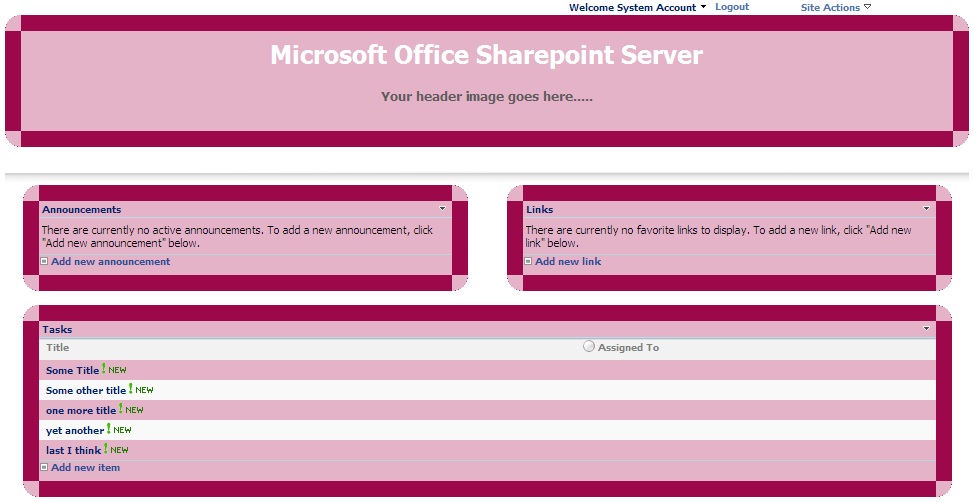
Here I created a simple sample Sharepoint site template with rounded corners.
This template allows you to create a new site with rounded corners around the webparts
Step by step installation:
- Log into your SharePoint site
- Go to Site Settings, under Galleries click on Site Template
- Then, click on Upload to upload the site template on to the site
- Browse to the downloaded file and click Open
- Click Ok to complete the upload process and now the template is available for you to use
Step by step creating of site:
- Log into your Sharepoint site
- Go to Site Settings, under Site Administration section click on Sites and Workspaces
- On Sites and Workspaces page click on Create for creating a new site
- Provide the necessary information, then select Custom tab
- You can see the uploaded template listed select the template 5NumberSiteTemplate_Pink.stp
- Finally, click on Create
Hi Vijay,
The Give Site template is very good but i think some more better color s also we can apply, but the special thing is the Cutting corners.
Thats great
Thanks
Santhosh Vudarla