Bookmark your favourite PowerShell commands
Every developer has his/her set of commands he/she has to repeatedly enter. A lengthy connect command for the PnP process. The gulp bundle and package-solution commands just before a deploy. A docker compose reset command in case the container gets stuck. For years, I was repeatedly retyping them, trying to search them in the history using the up key, or keeping them in my scratchpad notes file and pasting them wherever I needed to use them.
With PowerShell, you can get two of these already. You have got your command history searchable using Ctrl+R, and you have got the capability of adding functions into your profile. What you don’t have is anything that is in-between. What you don’t have is a simple named collection of your most frequently used commands, accessible to you instantly and run-able.
Meet PowerShellBookmark
PowerShellBookmark is a lightweight, free module that allows you to bookmark any command, name it, and later retrieve it either by name or using a picker. This is an open-source module available at the PowerShell gallery, which means installation is just a one-liner:
Install-Module PowerShellBookmark -Scope CurrentUser
Add these two lines to your $PROFILE so it loads in every session and wires up the keyboard shortcuts:
Import-Module PowerShellBookmark
Enable-BookmarkKeys      # Ctrl+B = picker, Alt+S = save the current line
Saving a command
The basic way is a name and the command:
bms push 'git push origin main' -Tag git
bms deploy 'gulp bundle --ship; gulp package-solution --ship' -Tag spfx
But the one I reach for most is this. You run something, it works, and you decide you want to keep it:
Register-PnPEntraIDApp -ApplicationName "Demo" -Tenant contoso.onmicrosoft.com
bms -Last -Name reg-app -Tag pnp
The -Last switch grabs the command you just ran, so you never retype it. And if you are still typing a command and want to keep it before you even press Enter, hit Alt+S and give it a name.
Getting it back
To run a bookmark, use its name:
bm push
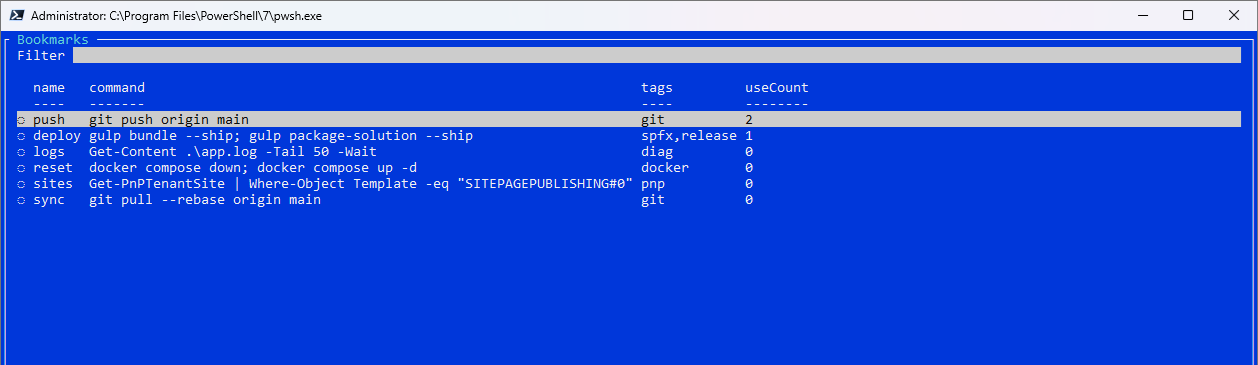
First, it gives you the command and then executes it. When you cannot recall the command, use the Ctrl+B shortcut (or type bm) to get the command picker. Enter some text to reduce the number of commands and choose one. The command will drop down into your prompt for you to execute or modify.
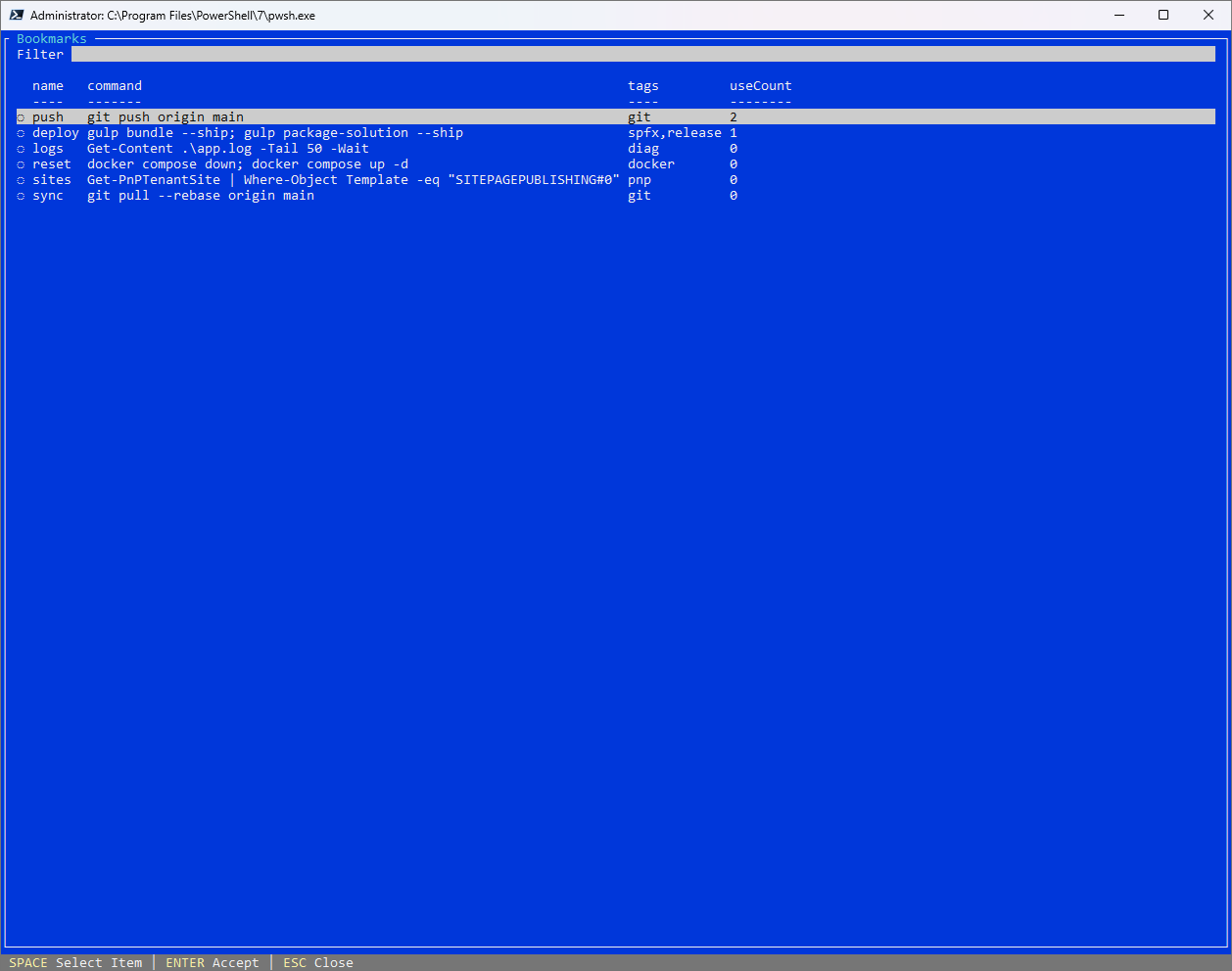
If you want to see all the commands at once, list them. The commands are organized such that frequently used commands move to the top:
bml
Tab completion works too, so bm p and Tab will cycle your saved names. And if you just want the text without running it, bm push -Print returns it, or bm push -Copy puts it on the clipboard.
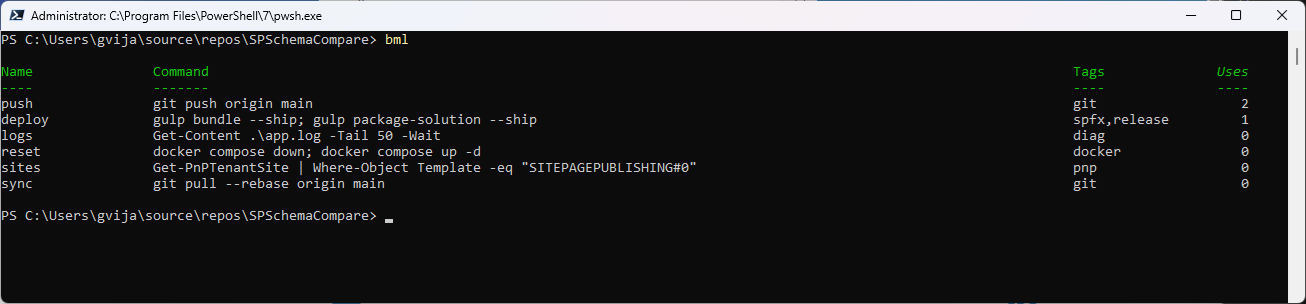
Commands that need a value
Some commands are almost the same every time except for one part. Use a placeholder in double braces and it asks you for the value when you run it:
bms checkout 'git checkout {{branch}}' -Tag git
bm checkout        # asks: branch?  feature-x  ->  git checkout feature-x
Keeping them tidy
Tags help you group them, so bml -Tag git shows just your git commands and bml -Search docker searches inside the command text. You can edit, rename, or delete a bookmark without losing its history:
Set-Bookmark push -Command 'git push origin HEAD'
Rename-Bookmark push push-main
Remove-Bookmark push
And because the whole thing is stored as plain JSON, you can open it and change many at once. Show-BookmarkStore opens the file in your editor for a bulk rename or re-tag.
It sticks around
The bookmarks are stored in a JSON file inside the profile folder and hence persist even after closing the window or the computer itself. The saves are also persistent even through multiple windows, meaning that you can have multiple tabs open without having to worry about deleting your bookmarks. In case you want to save an old session, you can use bms -FromHistory -AllSessions.
Try it
It scratched my own itch, and it has taken a surprising amount of small friction out of my day. If you live in a terminal, give it a go:
Install-Module PowerShellBookmark -Scope CurrentUser
The source is on GitHub at github.com/gvijaikumar9/PowerShellBookmark, and it is MIT licensed. Save the ones you type all day, and let the picker do the remembering.