Skip to content

Five Number

  • Home
  • TopicsExpand
    • Copilot
    • SharePoint Online
    • Microsoft 365
    • Entra ID
    • PnP PowerShell
    • Governance
  • SolutionsExpand
    • Microsoft Search Query Tool
    • PnP PowerShell Generator
    • User Access Explorer
    • Sharing Link Auditor
    • Five Number Lightbox
  • Tools
  • About
  • Contact
Five Number
  • PowerShell | SharePoint Online

    Read SharePoint Lists, Items and Files with PnP PowerShell

    ByG Vijai Kumar July 22, 2026September 12, 2026

    How to read lists, items and files with PnP PowerShell, and the things that come back looking nothing like you expected: 19 lists on a site with 3, person fields that are not strings, and a version history one shorter than the file says.
    Read More Read SharePoint Lists, Items and Files with PnP PowerShellContinue

  • PowerShell | SharePoint Online

    Connect PnPOnline: Every Way to Authenticate, and When to Use Each

    ByG Vijai Kumar July 22, 2026September 12, 2026

    PnP PowerShell has fifteen ways to authenticate. You need three of them. Which still work after September 2024, which are dead, and the deprecated one that is still the only method needing no app registration at all.

    Read More Connect PnPOnline: Every Way to Authenticate, and When to Use EachContinue

  • PowerShell | SharePoint Online

    Connect PnPOnline: Specified Method Is Not Supported

    ByG Vijai Kumar July 22, 2026September 12, 2026

    PnP PowerShell scripts started failing in September 2024 when the shared PnP Management Shell app registration was deleted. Here is how to register your own app and get your scripts connecting again.

    Read More Connect PnPOnline: Specified Method Is Not SupportedContinue

  • PowerShell | SharePoint Online

    Install PnP PowerShell and Connect to SharePoint Online

    ByG Vijai Kumar July 22, 2026September 12, 2026

    How to install PnP PowerShell, register the app registration it now requires, connect to SharePoint Online and confirm the connection worked. With the real output, including the two surprises everyone hits first.

    Read More Install PnP PowerShell and Connect to SharePoint OnlineContinue

  • Fivenumber Lightbox Plugin
    WordPress

    Five Number Lightbox – A Simple Image Lightbox Plugin for WordPress

    ByG Vijai Kumar July 21, 2026September 12, 2026

    How to install and use Five Number Lightbox, a small WordPress plugin that opens post images in an overlay. No jQuery, no settings page, and it works with the images already in your old posts.

    Read More Five Number Lightbox – A Simple Image Lightbox Plugin for WordPressContinue

  • Set Up Organization Prompts in the Microsoft 365 Admin Center
    Copilot | Microsoft 365

    Set Up Organization Prompts in the Microsoft 365 Admin Center

    ByG Vijai Kumar July 21, 2026September 12, 2026

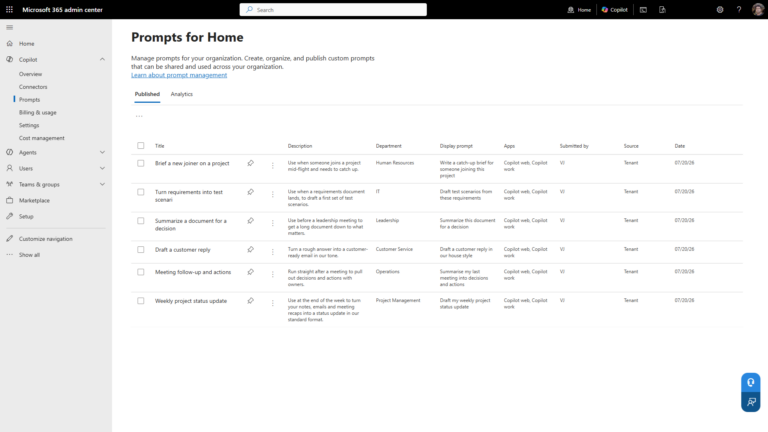
    The problem with Copilot, after people have gotten used to it for a while, is not that it fails to do its job. It is that no one knows what to ask it. You can finally do something about that directly. You can create prompts and publish them so that everybody in the tenant can…

    Read More Set Up Organization Prompts in the Microsoft 365 Admin CenterContinue

  • PowerShell | SharePoint Online

    Copy SharePoint online webpart settings from one webpart to other

    ByG Vijai Kumar November 2, 2022September 12, 2026

    Here is the simple PowerShell script which does the magic to copy the webpart configurations from one webpart to other. All you have to do is Identify the source and target webpart. Here in below script we have two different pages source.aspx and target.aspx In the source.aspx OOTB hero webpart added on the page. On…

    Read More Copy SharePoint online webpart settings from one webpart to otherContinue

  • SharePoint Designer | SharePoint Errors | SharePoint Online

    Server-side activities have been updated. You need to restart SharePoint Designer to use the updated version of activities.

    ByG Vijai Kumar October 22, 2017September 12, 2026

    If you come across error message Server-side activities have been updated. You need to restart SharePoint Designer to use the updated version of activities. while creating SharePoint workflow   You need to copy the file Microsoft.SharePoint.WorkflowServices.Activities.Proxy.dll to the location %USERPROFILE%\AppData\Local\Microsoft\WebsiteCache\<site-name>\<version-number>   Restart SharePoint designer, you should be able to create workflow without any problem.

    Read More Server-side activities have been updated. You need to restart SharePoint Designer to use the updated version of activities.Continue

  • SharePoint Online

    Add Background Header To SharePoint Online Site

    ByG Vijai Kumar August 5, 2017September 12, 2026

    In this post, I am going to show you how to add header image as background to SharePoint online site, this will be very simple all we need is a image, and CSS class. The beauty of the approach what we follow now is… we neither touch existing master page nor existing CSS We will…

    Read More Add Background Header To SharePoint Online SiteContinue

  • AngularJS | SharePoint 2010 - Client Object Model

    Insert items into SharePoint custom list using Angular

    ByG Vijai Kumar July 18, 2017September 12, 2026

    In this example, I am going to show you how to insert items into SharePoint custom list using AngularJs I want to make this post very short and simple, the code snippet you will see in the article will be very minimal, only related to insert items into custom list using Angular. In one of…

    Read More Insert items into SharePoint custom list using AngularContinue

Page navigation

Previous PagePrevious 1 … 6 7 8 9 10 … 15 Next PageNext

© 2026 Five Number - WordPress Theme by Kadence WP

  • Home
  • Topics
    • Copilot
    • SharePoint Online
    • Microsoft 365
    • Entra ID
    • PnP PowerShell
    • Governance
  • Solutions
    • Microsoft Search Query Tool
    • PnP PowerShell Generator
    • User Access Explorer
    • Sharing Link Auditor
    • Five Number Lightbox
  • Tools
  • About
  • Contact