Click Start > Settings > Control Panel, then click Regional and Language Options.
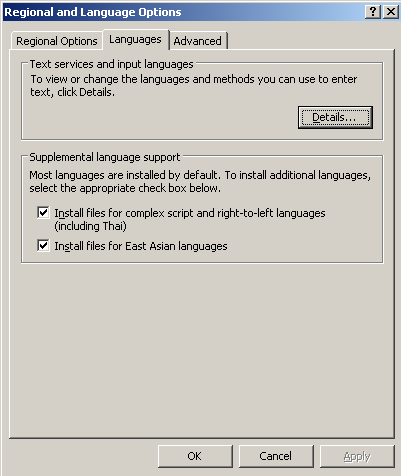
Regional and Language Options
In Regional and Language Options box, under Supplemental language support section, check both check boxes
Install files for complex script and right-to-left languages
and
Install for East Asian languages
Click OK to install
Download language packs for Microsoft Office SharePoint Server (MOSS) 2007:
Select the language from Change Language dropdownlist
Available language packs:
Arabic
Bulgarian
Catalan
Chinese (Simplified)
Chinese (Traditional)
Croatian
Czech
Danish
Dutch
English
Estonian
Finnish
French
German
Greek
Hebrew
Hindi
Hungarian
Italian
Japanese
Korean
Latvian
Lithuanian
Norwegian (Bokmal)
Polish
Portuguese (Brazil)
Portuguese (Portugal)
Romanian
Russian
Serbian (Latin)
Slovak
Slovenian
Spanish
Swedish
Thai
Turkish
Ukrainian
After downloading the Server Language Pack.img
Extract the ServerLanguagePack.img file (I prefer to extract using ISO Edit)
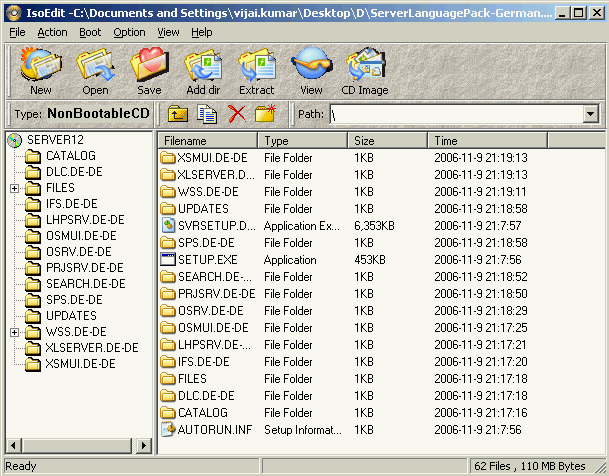
Extract the ServerLanguagePack.img
Run Setup
After installing the language pack
Rerun the Sharepoint Products and Technologies Configuration Wizard using default settings.(If you don’t run the language pack will not be installed properly)
To run the Sharepoint Products and Technologies Configuration Wizard:
Click Start > Programs > Administration Tools click sharepoint Products and Technologies Configuration Wizard
then click Next
Click Yes in the dialog box.
On the modify server farm settings, click Do not disconnect from this server farm, then Next
After configuration successful click Finish
After success installation, you will be find the language pack which you installed before in the dropdownlist while creating the site collection
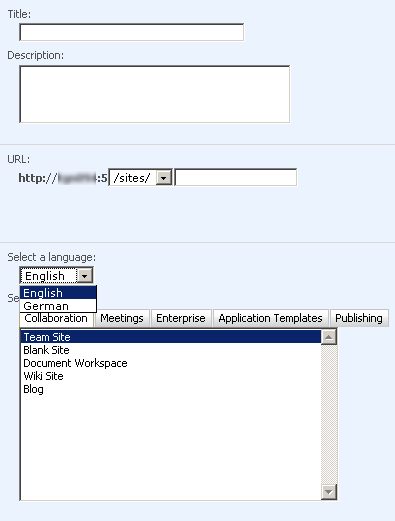
Creating site collection
Result:
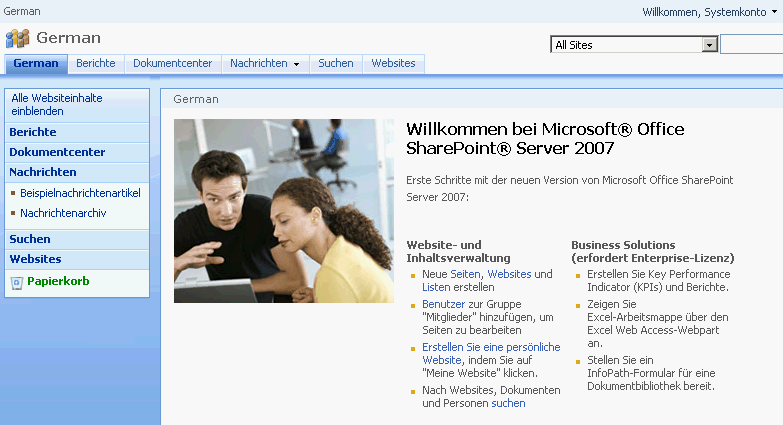
Sharepoint collaboration portal in German language

Hi
Thanks for your article.
I have a pack for Persian language and installed it and i had run “Sharepoint Products and Technologies Configuration Wizard” .
It’s folder has created In “web server extensions\12\TEMPLATE ” and Exist Persian item in Regional Settings in locale ,but again i couldn’t see persian language when i want to create new site collection .
Thanks for any guide.
regards
Ali
@ Alireza Doroudian: As far as my knowledge Microsoft has not released Persian language pack for Sharepoint (please check the list of language available for download on link http://www.microsoft.com/downloads/details.aspx?FamilyID=2447426b-8689-4768-bff0-cbb511599a45&displaylang=en ) could you please tell from where did you get the Persian language pack, have you downloaded from offical Microsoft site?
Please confirm