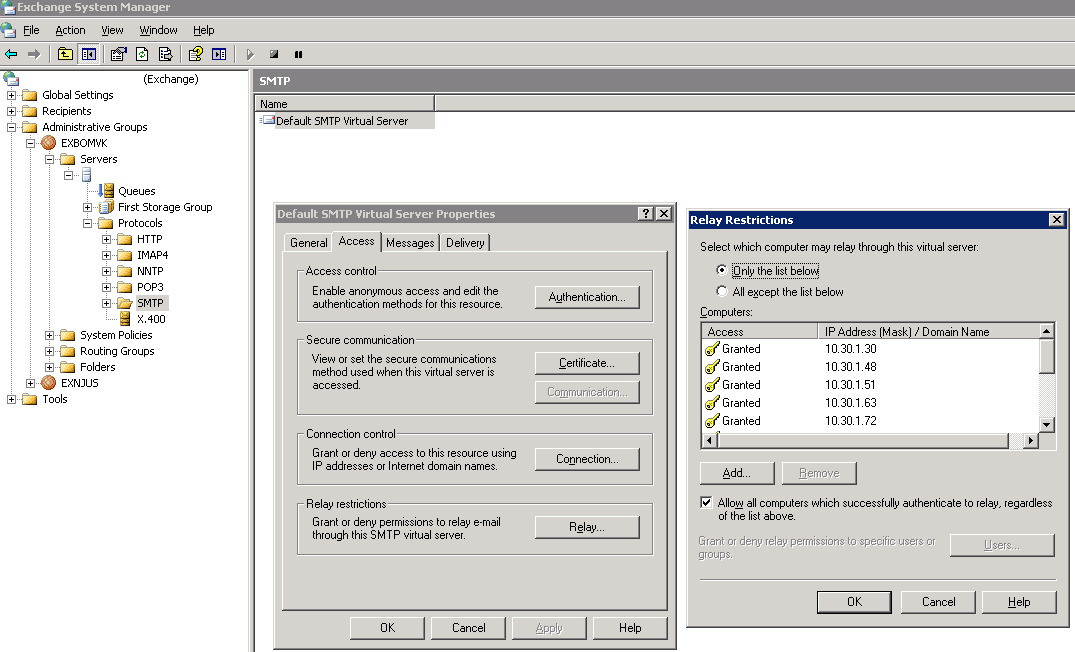
Figure 1
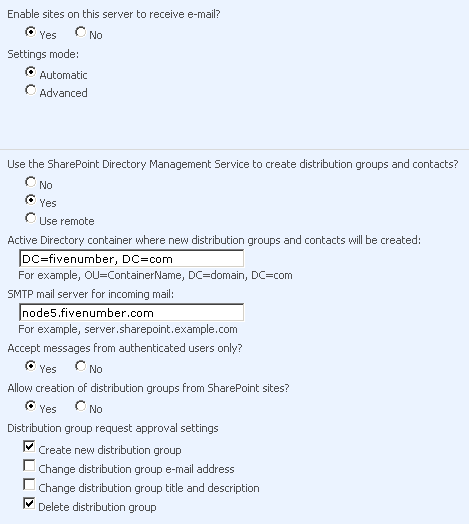
Figure 1 of 2
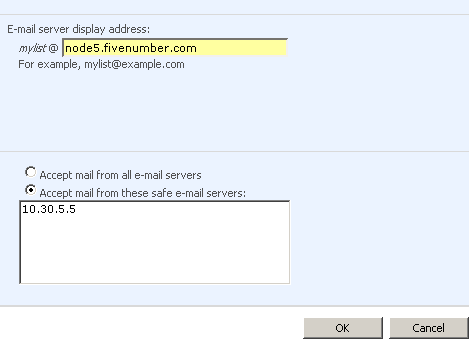
Figure 2 of 2
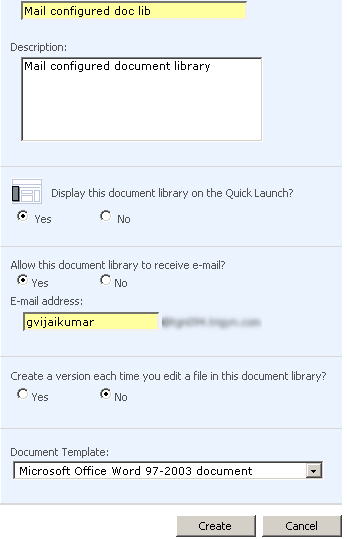
Figure 3
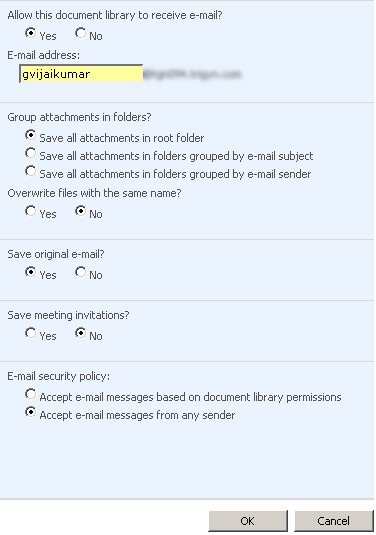
Figure 4
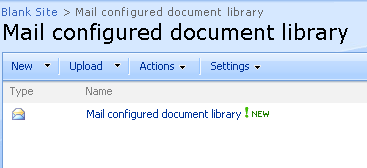
Mail configured document library
Configure SMTP relay setting:
This can be done by network administrator, ask network person to add the Sharepoint server IP address in the relay restriction list as show in the above Figure 1
Configure Incoming E-Mail Settings in central administration:
As shown in Figure 1 of 2 and Figure 2 of 2
Creating Document library:
While creating the document library make sure to select the radio button ‘Allow this document library to receive e-mail’ to ‘Yes’
Follow the setting as show in the Figure 3
Configure incoming E-Mail Settings in document library settings:
Make sure that the settings match with the Figure 4

This was so easy to use. Thanks for whoever created this, had no problem following these directions.
Hi,
Nice Article its impressive,
im beginner to shrepoint, can u explain how the sharepoint server knows that the added/ uploade / recived item is an email.
Means internal magic how to patch the email to sharepoint
can you kindely revert to myid: muhammednavaz@gmail.com
Adv thanks